
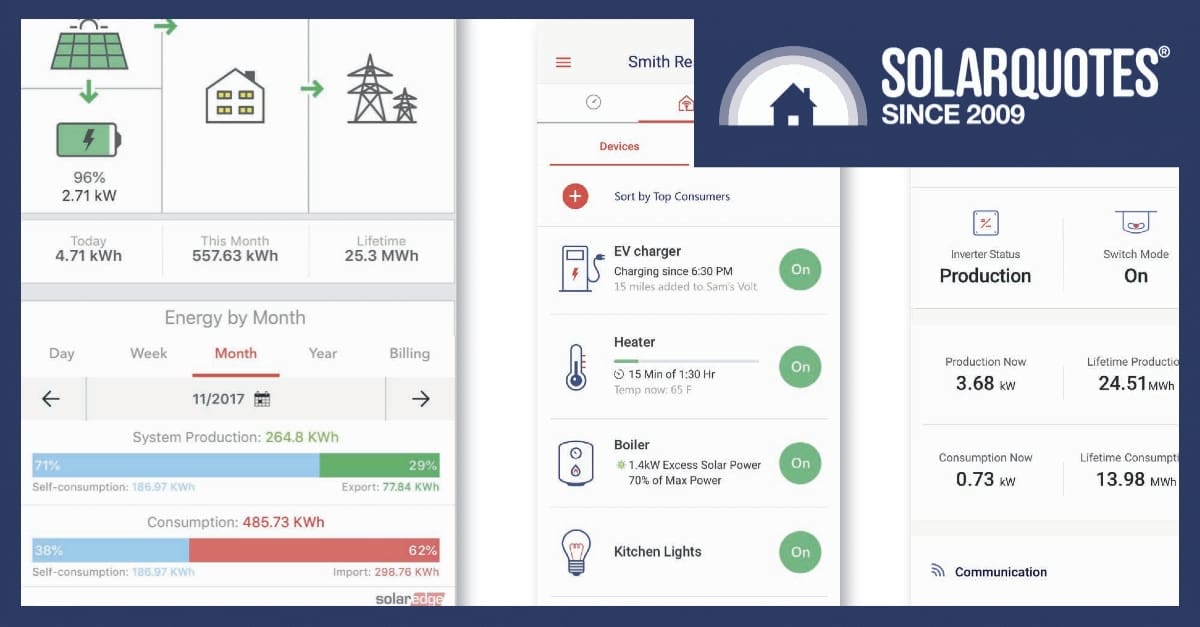
Want to get maximum value out of your solar and battery system? You’ll need a good solar monitoring solution. Here’s a rundown on the top-rated solar monitoring apps available in Australia.
Why Is A Good Solar Monitoring App Important?
Without monitoring, you’re flying blind — you could lose hundreds of dollars a year from a failed inverter or underperforming system and not even know it.
A great app makes monitoring effortless, with clear graphs, instant alerts, and easy comparisons over time, so you can get every cent of value from your solar investment.
When you can see exactly how much you’re generating, you can shift the energy consumption of your home — for instance when you use your air conditioner or dishwasher — to when the sun’s blazing.
While third-party solutions exist, we’re looking below at the apps offered by inverter manufacturers, so it is worth considering app performance before settling on which inverter brand you install.
A Clear Winner
We’ve done some analysis on the top-rated solar monitoring apps according to reviews on the Google Play store and the Apple App store, and there was an obvious standout at number one with the mySolarEdge app.
But if you don’t have or don’t want to get a SolarEdge inverter because of their dicey technical support or connections to the Israeli government, there are a handful of other apps with good ratings. Just note that for the alternatives, there are significant differences in review scores on Google Play and Apple App Store, so do consider whether you’ll be using an Android or Apple device.
The Best-Rated Solar Monitoring App in Australia
mySolarEdge
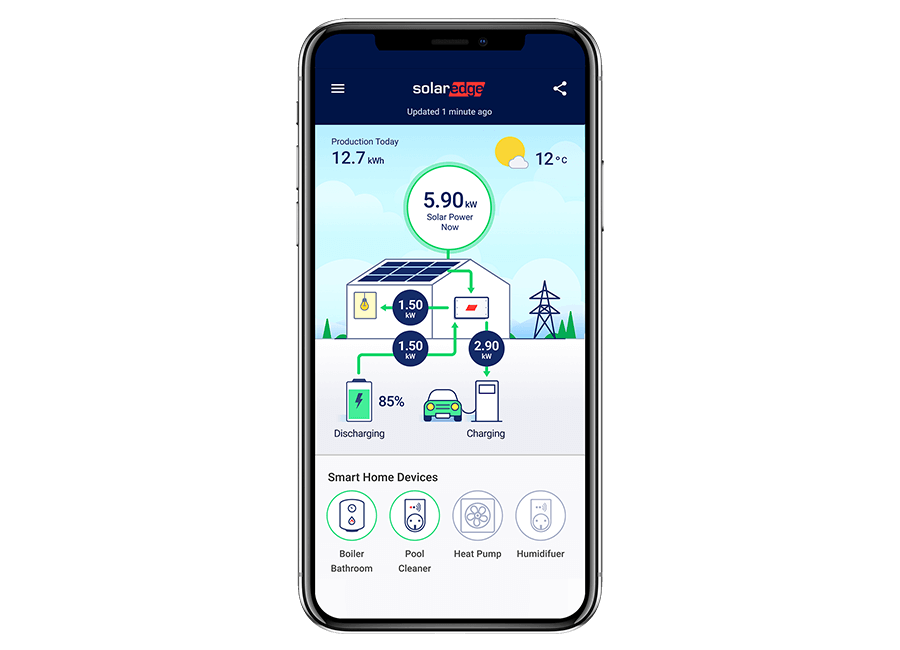
Google Play Store: 4.4 out of 5 average rating
Apple App Store: 4.6 out of 5 average rating
What Users Liked: Tracks energy use and production in real-time, identifies energy efficiency opportunities, controls smart home devices and EV charging, displays inverter status for troubleshooting, is available on Google Wear OS.
What Users Complained About: Poor customer support, production data broken with off-peak battery charging, aggregates data from multiple inverters/batteries (making individual assessment difficult).
For detail on SolarEdge inverters used with their solar monitoring app, read our review.
Other Apps Worth Considering
Enphase Enlighten
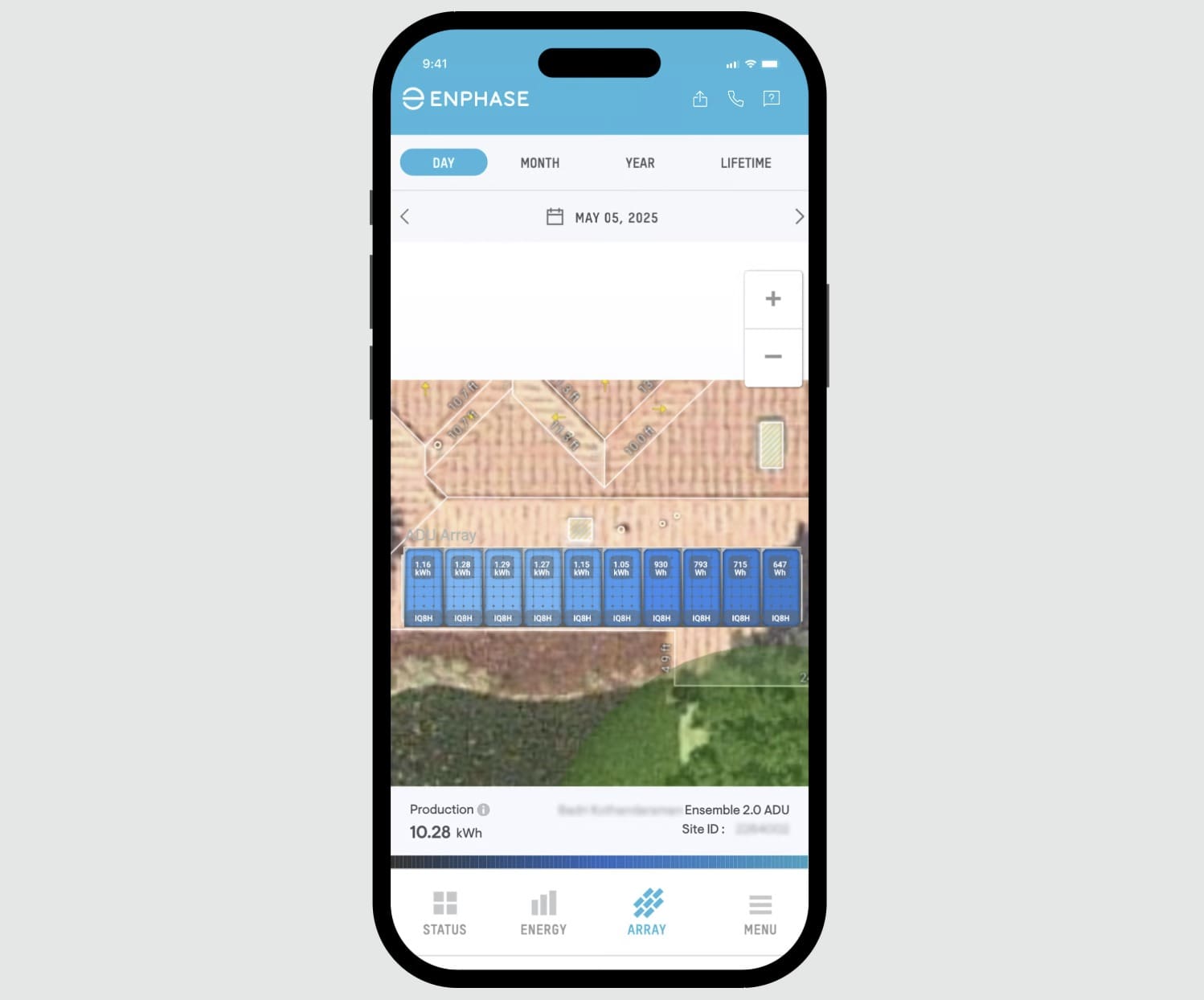
Google Play Store: 3.9 out of 5 average rating
Apple App Store: 4.6 out of 5 average rating
What Users Liked: Verifies system health and performance, views energy production, analyzes performance against historical weather data, responsive developers, good for seeing energy produced, 12-month raw data access.
What Users Complained About: Notifications often don’t work, takes multiple attempts to connect, updates cause internet connection issues and inaccurate data, less DIY-friendly, support directs to installer, display limit for microinverters.
For more detail on Enphase inverters used with their solar monitoring app, read our review.
SMA Energy
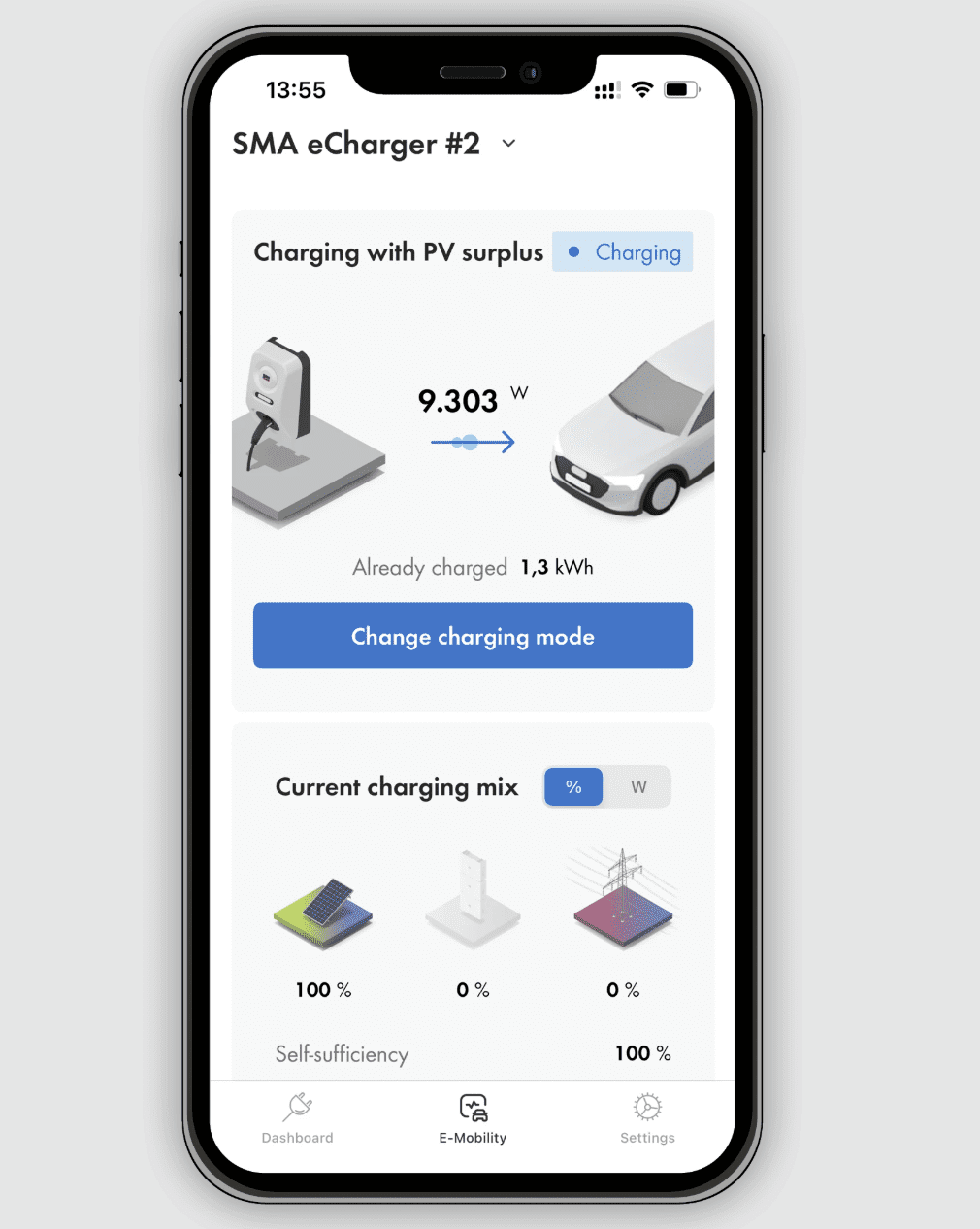
Google Play Store: 4.1 out of 5 average rating
Apple App Store: 3.5 out of 5 average rating
What Users Liked: Clearly structured display of important data, intelligent management of energy flows and EV charging, provides forecasts for solar power production, DarkMode, improved accessibility, and landscape mode available.
What Users Complained About: Doesn’t show much data beyond energy generated, slow to update and start up, no individual inverter data for multiple inverters, no estimated vs. actual production data, poor color choices and low contrast in graphs, slower navigation between time period graphs, app often crashes, data transfer issues from old Sunny Portal accounts.
For detail on SMA Energy inverters used with their solar monitoring app, read our review.
Tesla
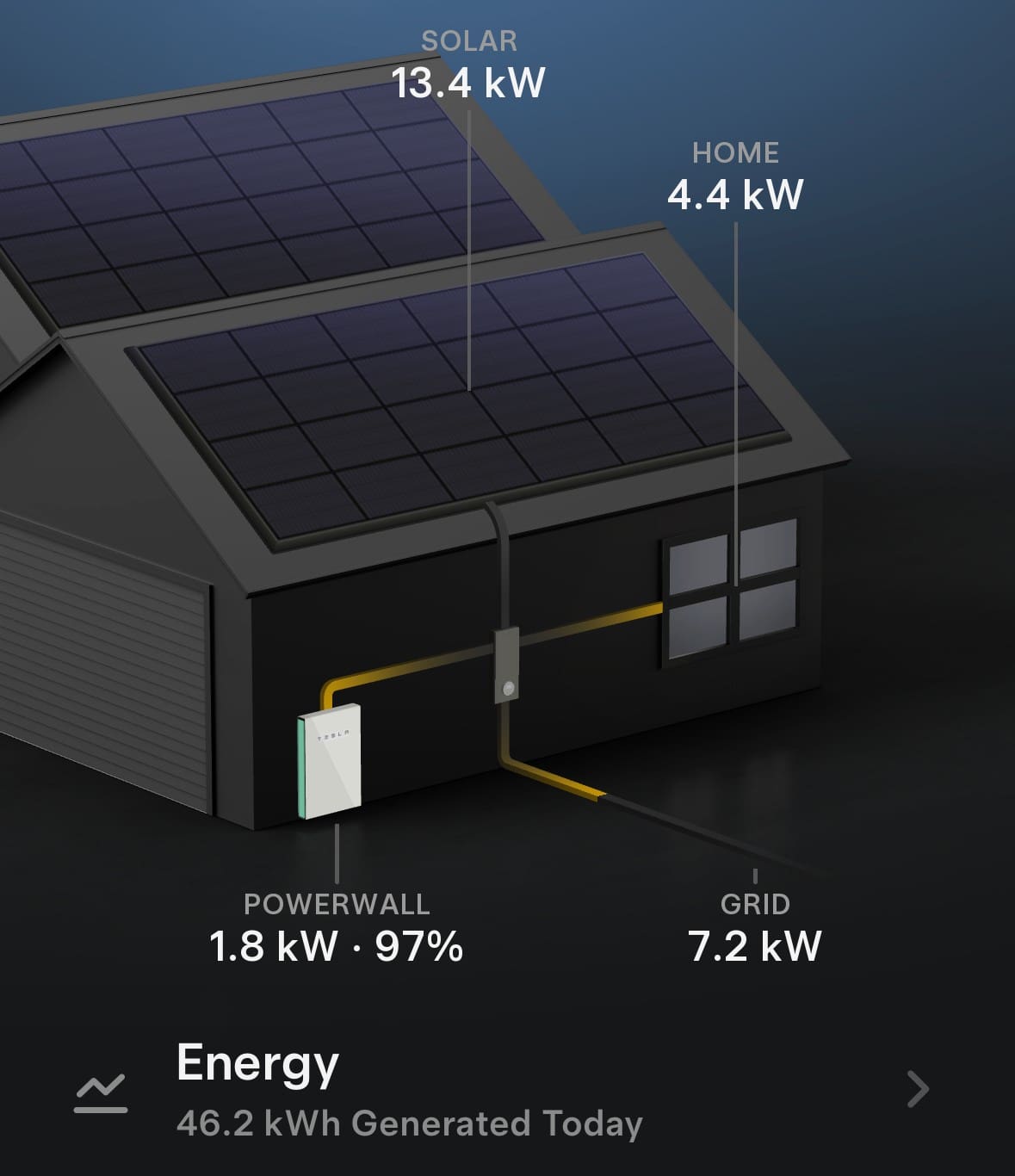
Google Play Store: Average Rating: 3 out of 5
Apple App Store: Average Rating 4.3 out of 5
What Users Liked: Comprehensive control over Tesla vehicles and energy products, real-time monitoring of solar and Powerwall, ability to download solar production and battery usage data.
What Users Complained About: Poor graphical user interface for charge stats, limited control over data display (e.g. clickable calendar, data export), slow and unresponsive UI, lengthy account setup for EV charging, lack of weather integration for battery top-up, large app size, less intuitive charging UI compared to competitors.
For more on the Tesla Powerwall 3 used with Tesla’s solar monitoring app, read our review.
For more on getting the most out of solar monitoring, read our detailed guide.
 About Max Opray
 RSS - Posts





Come on Finn. No need to exclude the Sigenstor App?
Let’s keep it balanced.
I can’t believe it wasn’t in the top 5?
They were close, but not quite – 3.8 rating on google where the overwhelming majority of their reviews are. Not many Apple reviews yet so their rating is wildly fluctating but on the improve – went from 2.9 rating up to 4.1 just while we researched this article.
Thank you for quite accurately and politely demonstrating your impartiality. Well done Solar Quotes and Max.
I have a SolarEdge system and have just bought a Sigenergy system for my new property, so have used both apps. While My SolarEdge is good I find the Sigenergy app provides more information and has a faster response time. The Sankey diagram provides much better info on where energy is coming from/going to. I’m not sure whether Google reviews is the best way to rate solar monitoring apps. I’ve never thought of providing a review for either app.
Hi Brian,
Sig seem to have a lot of information available. How hot do your batteries run? I’ve seen reports the top module sustains 5°C higher temp than the rest.
Ive got 3 x 8kwh modules. The top is currently 31 degrees the middle 29 and the bottom 26. I have a DC EV charging module between the inverter and the battery’s and it hasn’t been in use since midday. Interestingly the bottom battery has the lowest SOC at 77.8% and the top 79% with the middle module in the middle in terms of SOC. In HA I track average cell temps and over the last month the daily difference between max and min for the day is about 5-7 degrees depending on how much throughput there is. Except 45 deg on26Nov when max export due $19kw FIT was occurring.
The DC charger doesn’t expose a module temperature in the app or in the HA plugin.
In the HA plugin there is an entry called PCS internal temperature and I think that’s the inverter itself. Mine is the 12kw Single phase module and that temp is currently 47.3. the inverter is barely idling only producing 600w. Battery has gone down from 100% to 78% or 5.3kwh in 5 hours so not much more than that for most of the night.
Andy
Fascinating Andy,
Thank you
I hadn’t looked at battery temperatures previously, but today there was only a 2 deg. difference between top and bottom in my 5-high stack, but it’s a cool day. I have noticed on hot days the garage temperature gets rather hot, so am looking at installing some forced ventilation to keep my Sig battery (and car battery) a bit cooler.
Brian
Hi, i currently use ShinePhone and wondering if it is possible to switch apps? What i have seen on google suggests yes but doesnt give any step by step.
W 😱 W, I also query the authors due diligence in presenting a well balanced and industry comprehensive coverage of ….’Independent’ monitoring platforms 🫣.
Just parading Mr Google or Apple is almost parrot fashion journalism . Sorry mate I don’t see “SOLAR Analytics nor “Catchpower Energy Management Platform even mentioned or updated!!.I have been in independent Solar Monitoring for 8 years now . If you can’t measure, monitor AND actively manage your power ownership then you are kidding yourself. Catchpower once off investment has world leading Solar analytics platform included for life …. BTW Ozz made and managed.
Spot on. An app/device that measures and reports only, no matter how good it is, is imho a gold leaf wrapped poo… a solution without automation is no solution at all.
When what we are paid for FIT can be as low as 1/15th what we pay for energy in the other direction manually turning something on or off only has to be forgotten once in a while to totally undo any savings or efficiency gains. Equally a cloud wandering over your PV panels while you are heating water can change something that should have had no cost to something with significant cost. It’s why a time clock is not imho a real solution
how about 3rd party monitoring / apps? (Catch + Solar Analytics?)
We did a piece on Solar Analytics a few months back you might find of interest.
I’ve been looking for a monitoring solution for my home for some time without any success. When we built the house (6 years ago) we installed a SolarEdge inverter with 7.8kW of panels. When we came to install batteries the SolarEdge solution was not one that appealed and seemed to fall well short of alternative solutions but was still working fine as were the panels and didn’t warrant replacement. We ended up installing a second system based on a Fronius hybrid inverter with 10.92kW of panels and 27.6kWh of BYD battery storage. The Fronius is setup to charge from the three phase output of the SolarEdge so the two systems are linked. No monitoring solution I’ve found accommodates an initial and secondary linked solution so getting a complete picture of what’s happening at any point in time can be challenging and is certainly not intuitive. To get any historical record of the overall solution is impossible. Given that both manufacturers publish their APIs shouldn’t it be possible?
It is possible but it will require some effort from yourself. Ther is unlikely to be an off the shelf solution that will cater to every possible combination in the market place so you’ll need to look at framework software like Home Assistant (HA) that will then offer a multitude of plug ins that will meet your needs.
The benefit of HA is that the framework can cover pretty much anything in your house not just storage and PV systems but allows control over the systems that then use the power from those systems.
I have a sigenergy system and I think the app for it is pretty good, but it doesn’t do everything I need and as such I use HA to fill in the gaps. For me, I use Localvolts for access to the wholesale market but I then need a utility to read the localvolts API, get the current wholesale rates and from that and my own instantaneous usage decideif I should be exporting or not. HA does all that and then using modbus tells teh sig what to do. Google HA and Youtube it.
Andy
Been developed in Israel it’s a privilege, they usually a cut above the otherss in terms of R&D and ingenuity so presenting it in a bad manner takes a bit of the quality of the article.
Hi Tom,
SolarEdge has always polarised installers as either being the best ever, or the red-headed stepchild of complexity.
However the warranty problems have driven most off.
The customers I speak to to try and solve problems have zero interest in buying more SolarEdge, and many wouldn’t have used it in the first place if they’d known it’s country of origin.
The app might be wonderful but there’s a reason SolarEdge aren’t proudly labelling themselves like for instance Fronius or Enphase.
completely counter to my experience with both installer and after sales.
Depends how techy/hacker like you want to get .
https://www.facebook.com/groups/HomeAssistant
If your not a geek and don’t want to get into the nitty gritty, then Energy Manager is a good middle ground. Leverages HA and builds upon it.
https://energymanager.com.au/usersc/join.php?ref=FE8J34EN
great, thanks !
Well I’ve already written some code that talks to both inverters and pulls the data it needs to produce a complete picture so I know it can be done but it’s a big job to build the whole solution!
The Fronius/Victron system integration is nifty. On the Victron dashboard I can see the output of each of the two Fronius PV inverters, updated second by second. Similarly, three MPPT strings of DC coupled arrays, and their two battery inverters.
I have a “Remote Console” open in another browser tab while typing this post, and flick over to it to check what I’m claiming. A 3rd tab shows history in the cloud.
The output of the North and South arrays are more equal now than in Winter. In today’s overcast, total output is barely 6 kW, so production ratio of equal strings gives another indicator of string health.
The software is open source, and I downloaded, via the controller itself, the GUImods upgrade, which improves navigation ease, for quicker presentation of performance of individual strings. (I have a spare controller, installed on a Raspberry Pi with touchscreen, before system purchase, to check out the interface in detail. Know what you’re buying, I figure.)
We find the Myenergi app that came with our charger to be very useful and easy to understand, (although I understand Finn had issues with them).
Weirdly, we just had a faulty Tesla Powerwall 2 replaced with a Powerwall 3 under warranty (I won’t go into the 14 week nightmare we had getting that sorted) and since then, the Tesla app has been recording the instantaneous pv output correctly, but showing double the cumulative generation. I am comparing it to the Solar.web and Myenergi apps, which agree with each other within 5%. Screenshots taken just now show Tesla recording 62kWh generated so far (12 pm) today, while Myenergi shows 30.9. The most we have ever generated in a full day under perfect conditions is 64.1kWh, so the Tesla reading is absurd.
myenergi app has 4.7 on Apple and 3.6 in Google. Works with all inverters. SolarQuotes know how to hold a grudge.
Home Assistant has a Phone based app, but of course one needs a HA server, which is a microcomputer (rg Intel NUC or rPi). Home assistant is fairly easy to set up if one has computer experience (on the way to Nerd level!). HA once running, can scan the local network.& find local devices such as PV inverters, but also smart TVs, & other local smart devices.
Start here:
https://www.home-assistant.io/getting-started/
My take: Home assistant is a very powerful Open Source platform with an incredible support base. It has the capability to control a total home, or use to the level you need. It is built around security & local control (taking devices off the cloud if one wishes) Personally I mainly use it for Energy management, but I find it is also good for closing the Google TV dongle if needs be! My system is Linux based, on an Intel NUC, a palm sized microcomputer.
I’m running home assistant and looking at options for solar and batteries. Working out which brands are going to play nicely is turning out to be a massive pain. Plenty have community integrations, which I run for a skew of other home sensors and automations… But that’s fine for a $30 light bulb. Not so much for a 10s of thousands investment.
So just to be clear here. Are these apps only applicable to the nominated manufacturers? IE. they only work with the stated inverters.
Another homeassistant fan/user here and wouldn’t use anything else. 100% own my own data.
And for independent data tracking, systems from https://openenergymonitor.org/ – also able to be integrated into HA and openHAB
Brian,
I went down the path on OpenEnergyMonitor, but found it too limiting. There is an Open Monitor based on OEM, supplied from the US (but has an Aussie distributor) called IoTaWatt.I use it to monitor my house circuits. Very reliable. It interfaces easily with Home Assistant. It has both Voltage & current monitoring.
IotaWatts seem to be hard to come by now. They’re open source code and hardware, but Trump’s tariff see-saw killed off the ability of the creator to have them made and sell them to cover his costs, and a brief search didn’t show anyone else taking over production so that seems to be the end of the road. The Australian reseller looks to be out of stock. That’s a shame as I sold mine to a neighbour (plus a bunch of the then recommended CTs) when I moved overseas for a while. I’ll have to see if he’s still using it and if I can buy it back.
I’m a fan of owning your own data but admit that the hurdles grow rapidly if you don’t have a tech bent or background, especially if you want to work across manufacturer ecosystems or want to do something that isn’t plug and play. See Andy S’s response to nigel earlier.
Yes – I have been using one for years. I only use it to track grid +/-, solar production and use, as well as thermal HWS temp and a bunch of other internal and external temps. I have 10 years of data at 5 second intervals. I use the data to price energy offers.
It is not consumer grade – it is more hobbyist grade, because it takes a bit of mucking around to get going the way you want. They have added a lot more functionality over the years, but what I have is good enough for me.
You can send your data to openenergy.org (public or private) so you can access data from anywhere, or else serve it yourself from your own data source.
Humpf, mine didn’t make the list – i was wanting to see if everyone else using isolarcloud had the same pet hates that i do!
I use isolarcloud and so does my neighbor. We both think its fine. First few weeks I had the solar I was on it all the time – a lot less these days but I use it in the morning to tell me instantly if there’s enough juice coming from the panels or left in the battery to run the dishwasher etc. before I head off to work or leave it until I get back. Only gripe is the “revenue” feature which is a waste of time IMO as has virtually no flexibility to match the complex and ever falling FIT we have to live with these days, but happily I can use the AGL app to tell me all that stuff.
The revenue feature in isolacloud also calculates self-consumption so the figures are always very high
It’s… adequate. As an engineer I would instinctively want to be able to see / download data at a much higher density (the live display refreshes every 10 seconds but plots only update every 5 min) but realistically there are very few real-time decisions I need to make these days now that I have a biggish battery to smooth out fluctuations in supply and demand. I download the 5-min data every day and keep my own spreadsheets to monitor long-term trends so I’m confident I will have enough info to see if the system is degrading.
Even if I had a fancier analytics app, I’m the kind of person who would make my own spreadsheets anyway.
I don’t use the revenue feature so I’m not bothered about whether or not it’s wrong.
What about Solar Assistant? Works well with LV battery setups. Integrates with Home Assistant etc
Up until a month ago I would have strongly reccomended the Clipsal Cortex. They currently appears to have technical issues and it may not come online again for another month. Because it was so good I am patiently waiting for them to get running again. clipsal.com/cortex
If I understand the above article correctly, it appears to be a comparison of the monitoring applications provided by the PV inverter manufacturers.
If that is correct, then I am disappointed that it does not include the Goodwe SEMS portal, and the Sungrow equivalent.
One of my reasons for choosing the Goodwe hybrid inverter that I chose, (and, that I have been waiting about 8 months to replace, due to the dubious “launch” of a better system), was the monitoring output.
As a blog user, rather than a blog administrator, of this blog, I cannot post a screenshot of the output, but it provides (relatively) dynamic monitoring of the electricity generation, the household load, the power drawn from or exported to the grid, and the energy flow to and from the BESS, and, significantly (and, when I got the current system, the Sungrow equivalent monitoring, did not provide this), the state of charge of the battery – all of this, in a cartesian graph, involving coloured lines (or curves). ROOC
I recently added an AlphaESS battery to the house my Grandson lives in that had panels on it (unknown) with a Goodwe inverter when I bought it. We started using the SEMS Portal but now just rely on the AlphaEss app that is compatible with the Goodwe inverter, easy to use and provides all the info we need. It’s cute too.
I have an SMA inverter AC coupled with an AlphaESS10kW battery and am happy with the reporting. There was no hand-over however and I have had to work out everything myself. I don’t know if I have the best settings for optimum performance. One thing I don’t understand, is why there is a high load when there doesn’t seem to be anything in the house-hold using power. Do the inverters use energy and create load during normal operations?
Max Hipkins, Perth
I presume your SMA Energy app looks nothing like the outdated image in this post? I should have read this post first. The old version of the SMA app definately deserves to be here but the “upgraded” version i definitely dont think so, in my opinion.
I haven’t used any of these apps, but they seem quite limited compared to Victron’s app and VRM portal. Both are actively developed and frequently enhanced. They can work alongside Home Assistant, as there are robust integrations available. The Victron system also sends a complete dataset to mqtt and can be controlled via mqtt, if needed. Advanced users will love the depth of information available.
Victron certainly is a needs paradise, however it needs to be because there’s no phone number for Victron Australia.
All support is by wholesalers or peer to peer.
Still waiting for Tesla to address my request for the ability to enable a notification if export to the grid exceeds (or drops below) a user-selected value. This would help me choose when to manually start/stop charging a BYD EV via a Wallbox charger. My situation makes an automated system less than optimal.
How about Voltello?
Voltello is Village Energy. Powercor keep track of our inverter through their device.
Solax’s installed our 6kw system in 2020 with a Huawei inverter that came with a Fusion monitoring program, based in China it gets regular updates .
the systrm is runn ing well with no problems that Solax’s could not solve promptly.
Thinking of installing the sodium batteries .need more research there.
Cheers
Paul Tollis
solar quotes a good site- — my app–for SUNGROW Hybrid inverter fitted to new 9.2 kW [ all we could do for roof & shade issues] solar. Initially, incorrectly fitted CTs and crazy info on app. Once fixed and the NSW mandatory TOU tariff & P-poor FIT applied, power bill in A SPLIT TARIFF QUARTER ACTUALLY WENT UP 20%.. Dont mind the app.
Now awaiting a full quarter before decision re battery & selecting new provider.
A note on the SUNGROW app, took a while to figure out refresh, but happy with it. Nothing to compare it with I admit.
Not panicked by 20% reduction in rebate. Better a considered long term decision. – Amber possibly, albeit meaningful communication for a spec useless- just bot replies and bombard popup ads .
FIT for solar alone at a retail level is still positive…albeit small. On the wholesale market for yesterday afternoon and this morning it went negative this morning at 6:45am. yesterday it stopped being negative at 5:05pm. There were few 5min buckets during the day when demand or supply varied, but in the main if you have solar only it better produce fantastically before 6:45am or after 5pm, which of course they don’t.
So there are only 2 options available to you:-
1) Automate effectively so you can shift your consumption to the day time and your own power. To do that effectively means you’ll run heating and cooling perhaps beyond what was historically logical in the day to try and prepare for the dark and powerless nights. While it can be done without automation…for some time before you forget or it all gets way too hard, automation is the only real way. Timeclocks are discussed as an alternate but they aren’t really.
2) get a BESS so that the night isnt so dark and powerless
Unless I’m mistaken, all of these tekkie monitor apps require a full time wi-fi link, as do most battery suppliers?
What do you do if you want to install batteries, but not expensive internet to enable monitoring?
My battery-less system is currently monitored by two energy meters hanging in the kitchen : one measures total solar generation, the other measures usage.
They are clamped onto the fuse box. Instant info, really simple, no internet required.
Thank you Solar quotes for your vital service.
They generally do, but the vast majority don’t need ongoing uninterrupted internet just a local WiFi access point. When they do need internet your smartphone can do that service until its configured and up and running.
A cheap standalone wifi access point shouldn’t cost a lot of $
HA needs updating regularly, but while regularly might be multiple times a month for me, for you, once stable and working once a year or in fact not at all if its totally standalone and not exposed to anyone else.
IMHO Wifi in a home is getting to the point where it would be rare that it doesn’t exist. I mean even buying a dishwasher now requires a wifi connection… and for good reason, my dishwasher can be fully controlled by Wifi which means that when there’s spare power available I can run it. If a big cloud goes over the top and my power generation drops off, pause it and resume when the cloud moves away. Never pay Grid peak prices instead of using your own power, when it costs nearly 15 times more.
Most of the systems mentioned would cost $20,000 with battery. The cost of a wifi extender to ensure the inverter location receives wifi signal would be the cheapest component by far, assuming you have internet connection at home.
Am not sure about those mentioned here but Isolarcloud, Sungrow, does not communicate directly with the inverter, but via the www. So, you do need internet connection for most basic monitoring.
However, with again Isolarcloud, one can connect directly with the inverter’s own hotspot wifi. This provides essential access to settings and real “live” monitoring that isnt going via a data centre in who knows where, probably China first.
For those with battery, it also allows you to discharge battery to grid when Amber doesnt work, not infrequent. Or, for those without it, to ACTUALLY discharge you battery to grid if you want to bolster your exports to grid if you dont need all the stored energy.
What about Fronius Solarweb?
I find it very user friendly, fast and reliable.
Solarweb only works every second day. Fronius will not be on the shopping list with the next house we buy. I feel very sorry for the people who will one day buy our house. There are no problems our end, it’s all with their servers. And to think we went 10 years without a glitch of any sort with SMA on the previous house.
Hi Matthew,
I’d be telling lies if I said the WiFi for Fronius is bulletproof, signal strength has sometimes been an issue.
However I’ve never seen a server outage that wasn’t planned. If you speak to SAPN, who rely on consumer solar having connectivity to activate emergency backstop controls, they say, and I quote “We don’t worry about Fronius”
You needn’t take it from me, Fronius reliability & technical support is second to none according to our poles and wires authority.
Yes I was wondering why they did not make the list.
I find the Fronius system works well and is easy to use.
I genuinely think solar quotes has an axe to grind one of the top 5 reasons as taken the world by storm is the quality and optimisation of the app side of things. To make mention of tesla before for app features is 🤪
Interesting. But I wonder how high up the priority list the monitoring app is for those considering installing a new inverter, possibly with a battery and maybe new pv modules. Obviously, none of this relevant to anyone who isnt switching inverter.
Perhaps a useful analysis for potential buyers new to this world, is not of the best reviewed apps but the apps that are part of the most popular inverters & batteries being sold right now.
This would likely include Isolarcloud [Sungrow]. In my experience, any such analysis should include what “hacks” can be used to optimise the monitoring and control of the system. With Isolarcloud this includes the ability to log directly into the inverter via its comms dongle without a www internet connection. For me, this is an essential part of operating the system; actual LIVE monitoring and access to system controls especially if with Amber and the vagaries of wholesale spot market for consumption and feed in tariffs.
I agree with Neil, which decision comes first, the monitoring app capabilities, or the inverter? Should the installer give the customer a choice of app (inverter tied or generic)?
From what I can see from monitoring multiple solar/battery installations, via iSolarCloud and Solarman, the fundamental current and historical data appears to be gathered and presented in a reasonable form, both on computer and mobile phone. Possibly I have just made reasonable (more likely lucky) choices of installer/inverter/app combinations (iSolarCloud-Sungrow – Solarman-Deye).
Should base level and configuration data (brand, model, size, warranty date and the like) for various elements of the installations, especially panels and batteries, be able to be updated (manual or via STANDARDISED APIs) so that the data is all in one place (is this bad wrt security etc and keeping too much data in offshore locations – politics again?).
Why are there so many poor apps? Do STANDARDISED APIs/protocols exist?
It would be great if the battery apps show the battery system’s round-trip efficiency.
are we reviewing technology or discussing politics here?
Hi Jude,
In many cases they’re inseparable but still people try.
For example, SolarEdge don’t advertise their country of origin but most punters I’ve spoken to aren’t about to buy more when they realise.
Similarly, we saw a trend recently.
People would commonly write requests for specific brands or technology when using solar quotes. It’s happened for years.
For the first time ever we had requests to exclude a brand because people couldn’t stand the smell of Musk.
The early adopters of solar have been people willing to change the world.
Now that privatisation has made solar an economic necessity,seems the recalcitrants want to cleave it from “politics”
Sorry Anthony, but I smell not Musk but double standards here. You mention in your article, and I quote:
“But if you don’t have or don’t want to get a SolarEdge inverter because of their dicey technical support or connections to the Israeli government…”
without elaborating what those “connections” are, and implying something sinister is going on. Sure, SolarEdge was founded in Israel and is now a global company. What about all those Chinese companies that make PV products such as Sungrow and Growatt. I’d be very surprised if they didn’t have “connections” to the Chinese government, but that doesn’t seem to bother you or your clients.
SolarEdge products available in Australia are now coming from the USA, so those “punters I’ve spoken to (who) aren’t about to buy more when they realise” are, I suggest, displaying overt anti-Israel sentiment rather than choosing on quality and longevity of product.
Hi Les,
Installer forums I’m part of describe SolarEdge HD-Wave inverter reliability as rubbish, with frequent failures reported within 1-3 years, high warranty claim volumes e.g. 27% inverter failure rate in one Australian installer’s 130-system sample.
The phrases “highly unusual” and “have you done the training” are now solar industry lore.
They’re treated as a JOKE because that was the first response from SE support when highly experienced trades were making *another* warranty claim and being sent back to site to get more photos of meter readings to prove what’s patently obvious.
Not only are they selling junk, SE treats installers with contempt.
If customers aren’t buying Israeli products, I suggest they find deliberate targeting of children, aid workers & journalists is depraved.
Thanks Anthony,
I’m a touch grumpy atm due to our installed but never operated Sig battery’s 10kW inverter replacement wait –
but I’d be in complete meltdown if I’d bought said Israeli battery cos I didn’t know its origins.
Information across both tech & social issues etc matter for customers.
Yes, the balance of such will vary hugely.
@Moderator and you are letting this junk through ?
@Tony, completely contrary to my experience. Maybe electricians need to adapt to software and the internet like the rest of us.
When I was doing my last upgrade SE was a consideration and my chosen installer has SE on his own house. “How is the SE System on your house?” I asked…I was told that his roof was in great condition because he’d inspected it so often….as he swapped out yet another failed micro-inverter. Hm says I what about the Battery? well that’s got a failed module too and they are making me jump through multiple hoops to swap it out under warranty, he said
He’s their local rep and if they make him jump through hoops etc, but yet trust him to install their gear locally, but not enough to swap out his own failed gear under warranty then do I want any part of SE for myself?
I decided in my case the technology of the alternate was more compelling than going into older tech gear knowing there was warranty issues. There may well be with the newer solution in time, only time will tell. In my case that time will be very shortly as a 12kw inverter needs to be swapped out at some stage soonish.
@Moderator , more political junk ?
Les –
A) Anthony didn’t write the article, I did.
B) I provided a link in the article to more detail on SolarEdge’s connections to the Israeli government and involvement in illegal settlements instead of going into it here – this wasn’t the focus of the piece, just an issue that a significant number of Australian consumers are interested in and so worth mentioning, just as many Australian consumers have concerns over slave labour issues in many Chinese companies – an issue we also cover.
C) This article highlights SolarEdge as the top solar monitoring app in the country, so if I have an agenda against the company I am not executing it particularly well here.
What about Sungrow?
I have the Icloud app which is fast and accurate in real time, and I know this because I compare it with my Powerpal set up, and it’s accessible from anywhere.
Then there is the Icloud website which gives much more detail and has the option to build custom reports.
Compared to the top 5 Icould should be number 1.
Andy (Dam good bloke)
Slightly off the topic, but some help required. We have a Sigenergy Solar System.
Is there a simple calculation method where we can determine the exact amount of in-house consumption (Daily, weekly, monthly) that is used from our systems production.
The Sigenergy Statistics graph is a very handy tool but doesn’t appear to highlight the actual in-house usage of the production?
This is not a complete answer, but if you tap on any source or destination on that chart, it will break down the amounts. E.g. If you go to the Energy Statistics widget and select the week or month or year of interest, then tap on “LOAD” on the right side, it will show you on the left the exact amounts of your load that came from solar, battery, or grid. Or if you click on “BATTERY” on the left, it will break down exactly how much went to your load, EV, or to the grid. You can get self-consumption from those two breakdowns. But perhaps not as simple as you’d like!
Just started using MySigen and it excellent! It does everything the apps mentioned here do (well, except a landscape mode), and so much more. 5.0 rating for Android, and 4.1 rating for Apple. I gather v3.x has improved a lot.
I’d particularly call out the great smart home integration with Home Assistant and Shelly devices. It was great to be able to instantly integrate my existing Shelly devices and have Sigen natively manage those loads for backup events and integrate them into app graphs. I particularly appreciate way it doesn’t dumb things down. Like you get an alert for going off grid, but it explains that was triggered by 80V undervoltage event. Battery gives you cell-level data. Data download etc.
Hi Aaron,
Sounds like you’ve got a nifty package.
I’ve seen many reports that when Sig update the firmware, all the automations you have set can fail.
Good luck with the continued integration work.