
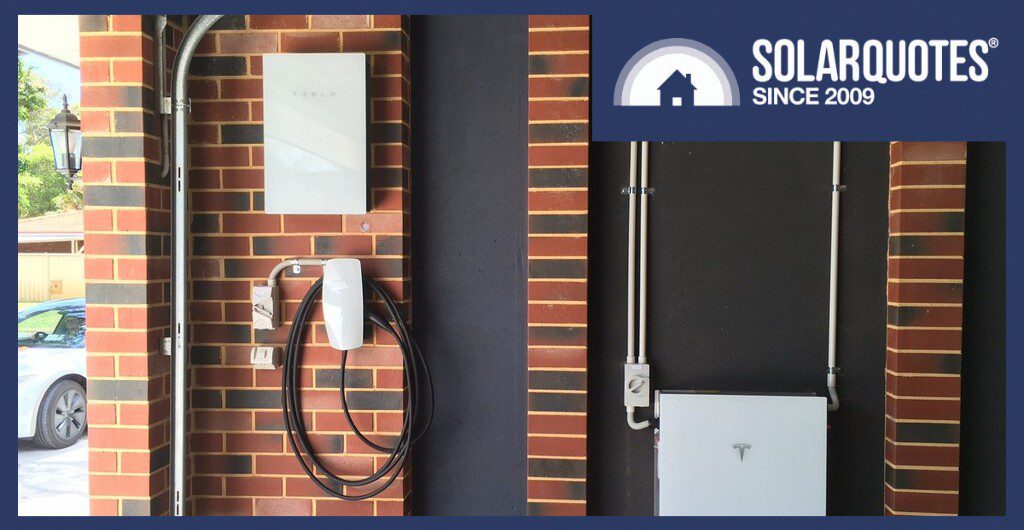
Tesla has introduced two updates for Australian owners, each affecting how power flows in a different way.
- Tesla’s Wall Connector can charge any EV using your extra solar power, but you need a Powerwall for this to work.
- New Model 3 and Model Y cars now have the ability to power your devices with a $145 adapter. This feature is called Vehicle-to-Load, or V2L.
There are a few catches to be aware of. Here’s what each update offers, who can use them, and what you should look out for.
Your Tesla Wall Connector Can Now Charge Any EV On Solar
Tesla’s Australian support page says its Charge on Solar mode is “available for any EV regardless of make for Powerwall and Wall Connector owners.” With a Powerwall and a paired Wall Connector, Tesla’s Smart Charging “creates a plan based on your solar production, home goals and driving needs.” Then it charges your car at the best times.
This is a major improvement for non-Tesla drivers. Back in 2023, SolarQuotes founder, Finn Peacock, reviewed the Wall Connector and pointed out that its lack of solar features was “a showstopper if you want to charge a non-Tesla car with only solar power.” His verdict was: “A Good Choice For Tesla-only Households. Not Great For The Rest Of Us.“
The previous Charge on Solar feature from Tesla didn’t help non-Tesla households. It worked through the EV and was only compatible with Tesla vehicles.
The newly released firmware update for Charge on Solar only works if your Powerwall is set to Self-Powered mode. The system can still use your battery or the grid to meet your charging target. Keep in mind that it won’t start charging from solar until there’s enough extra solar power available.
If you don’t see the option in your Tesla app, make sure your Powerwall, Wall Connector, and Tesla app are all updated.
What You Need For Smart Charging
Tesla lists these requirements:
- A Powerwall 2 or Powerwall 3 with firmware 26.34 or later.
- A Wall Connector 3 with firmware 26.34 or later.
- Tesla app version 4.57.5 or later.
- Your Powerwall and Wall Connector are paired, registered to the same site, and on the same Wi-Fi network.
- Your phone is paired with your Powerwall.
- Smart Charging only works with one Wall Connector at each site. You can set any other connectors to charge when a car is plugged in or to follow a set schedule. Older Wall Connectors are not supported by Tesla for this feature.
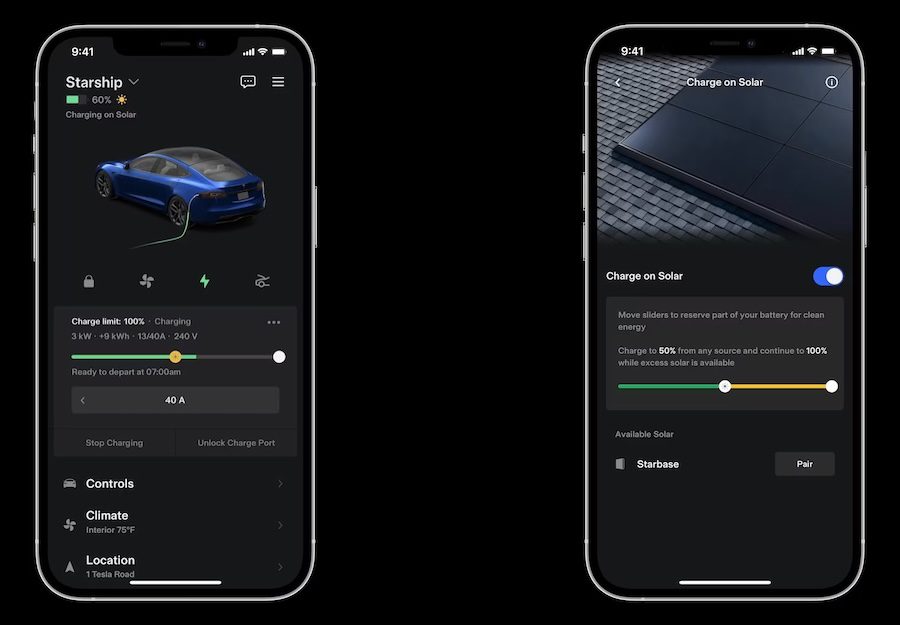
Set a charging target and a departure time, and Charge on Solar uses excess solar as its main source to get you there. Image courtesy of Tesla, Inc.
Charge On Solar Or Low-Cost Charging: Which Should You Pick?
You can only use one mode at a time. According to Tesla, the two modes “prioritise using different power sources after your charge target is met.”
Charge on Solar
- Needs your Powerwall in Self-Powered mode.
- Charges mainly from excess solar.
- If there isn’t enough solar to reach your target, it tops up from the grid or your Powerwall.
Low-Cost Charging
- Needs your Powerwall in Savings mode (also called “load shifting”).
- Charges from the cheapest energy on your rate plan and/or solar.
- Uses your rate plan and solar forecast to reach your EV charging target at the lowest cost.
- Once your target is met, it keeps charging from the lowest-cost energy only.
Charge on Solar (Self-Powered mode) is a good fit if your EV is usually at home during the day, you have plenty of extra solar power around midday, and your feed-in tariff is low.
Low-Cost Charging (Savings mode) is best for households with a Time-of-Use (ToU) plan, especially one with cheap periods during the day or overnight. If you enter your rate plan correctly in the app, this mode will find your cheapest charging times. Be sure to compare the current feed-in tariffs in your area.
The Smart Charging Drawbacks In Tesla’s Fine Print
Charge On Solar Needs Self-Powered Mode
In Self-Powered mode, your Powerwall stores spare solar to run your home at night and exports to the grid once it’s full.
You’ll have to give up Savings mode. If you rely on Savings mode to make the most of your ToU plan, you’ll need to choose between that and Charge on Solar.
Your Charging Target Can Dip Into Your Powerwall
If you set a 10 kWh target with a 5pm departure and the weather turns cloudy, your panels might only provide part of the needed energy. Savings mode will use the grid or your Powerwall to make up the rest before 5pm. This is useful if you need the extra range, but less ideal if your Powerwall ends up charging your car instead of powering your home.
If you want your car to charge from solar alone in Savings mode, Tesla says to “change your charging target to 0 kWh.” Smart Charging then uses excess solar. The downside is that on a cloudy day, your car may barely charge at all.
The middle ground is to set your charging target to what you need for a normal day. Smart Charging/Self-powered mode makes sure you get that much by your departure time, using the grid or your Powerwall if it has to. Tesla suggests using the app’s kilometre estimate to work out your charging target.
A Small Solar Surplus Won’t Start A Charge
Tesla says their EVs need a minimum amount of power to begin charging. If there’s less spare solar than that, your car won’t charge from solar until the surplus climbs past that minimum amount.
Tesla says this minimum “depends on your grid type and charging equipment,” but doesn’t share the exact numbers.
Storm Watch Comes First
During Storm Watch events, Tesla says excess solar “may also be directed to your Powerwall before your vehicle.” When Storm Watch is active, your Powerwall gets first dibs on your solar.
Another Detail to Know
Smart Charging will never charge your car beyond its set limit. If you need more range immediately, tap “Start Charging” in the app. Smart Charging will pick up again the next time you plug in.
New Model 3 And Model Y Cars Can Now Power Your Gear With V2L
The second update works in the opposite direction. New Model 3 and Model Y can now power your devices directly from their battery from October of this year. Earlier Model 3 and Model Y models are not included.
V2L uses the Tesla Outlet Adapter, which plugs into your car’s charge port. You then plug your device into the other end of the adapter.
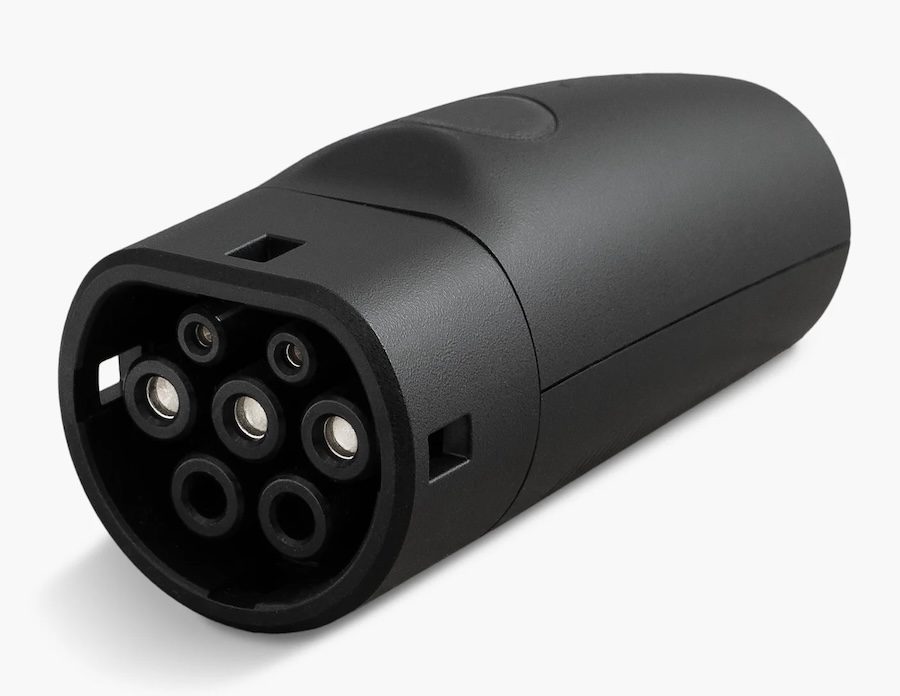
Tesla’s Outlet Adapter turns a compatible Model 3 or Model Y into a portable power source. Image courtesy of Tesla, Inc.
The adapter costs $145, and only Tesla owners can use one. At the time of writing, it was out of stock. Tesla rates the adapter at 230 V, with up to 3.45 kW on a 15-amp plug and up to 2.3 kW on a 10-amp plug. Make sure your device’s power rating fits within these limits before plugging it in.
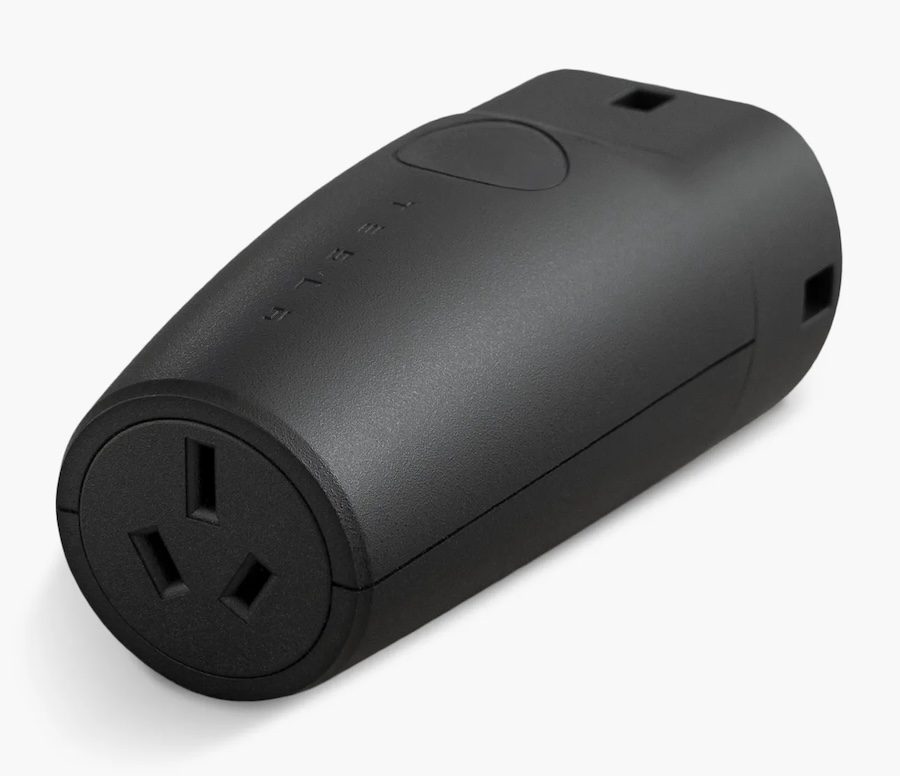
V2L supplies up to 3.45 kW on a 15-amp plug, so check your device’s rating first. Image courtesy of Tesla, Inc.
To check if your car supports this, go to Software and then Additional Vehicle Info on your touchscreen. Look for “Powershare Support: Enabled.” If you see this, your car can use V2L.
Want your car to keep a few household circuits running in a blackout instead? There’s always the option of simply running an extension cord to your Tesla and plugging in the fridge. But that’s only one appliance at a time.
SolarQuotes writer and licensed electrician Anthony Bennett reviewed one device that does this, the Home Open Energy Manager (HOEM), which an electrician installs next to your switchboard. His review predates Tesla’s adapter, so check with HOEM whether it suits your car before you buy.
What To Do Next
If you have a Powerwall and a Gen 3 Wall Connector, update your Tesla app and make sure both devices are running firmware 26.34 or later. Start with a low charging target and see over a week how often your car charges from the grid or Powerwall.
If you’ve bought a new Model 3 or Model Y, check your touchscreen for “Powershare Support: Enabled” before buying the V2L adapter. Use Tesla’s own adapter to make sure your warranty stays valid.
If you’re still deciding, Smart Charging makes pairing a Powerwall with a Wall Connector more attractive, no matter what car you drive. However, don’t buy a Powerwall just to get Smart Charging. A battery should save you money on your power bills, not just add features to your charger.
Check out our Tesla Wall Connector EV Charger review and Powerwall 3 review to help you decide if it’s financially worth it.
 About Jacob Boyd
 RSS - Posts





Tesla Powerwall + Wall Connector combo is actually a silent neat feature. Whilst the Powerwall on its own may be expensive, Wall connector is very competitively priced when comparing to other solar aware (whether they are OCPP compliant or not) EVSEs.
All of a sudden, the total cost, whilst still not cheap, makes it a little bit more attractive. Here is hoping that the equivalent of Tesla Powershare in US will be made available soon to the new cars, as this will definitely become a killer feature. Get a Tesla Powerwall 3 + the car instead of buying multiple expansion packs.
It won’t as far as I know operate in a V2H or V2G way though. It will only be triggered at grid outages, for backup. Tesla likely don’t want the car battery doing daily cycling for home supply.
Is Tesla’s free lifetime charging still available?
I would imagine that’s why they dont want their cars to be powering the grid!
Hasn’t been offered for a long time I don’t think.
Tesla have finally caught up with BYD for V2L support. So far we haven’t needed to use the adapter that came wth our BYD Dolfin (in 2023) but it is reassuring to know we have that option to power the fridge with an extension lead in a prolonged grid outage.
Tesla has also released Powershare for newer Model 3 and Y vehicles in the US, that will allow them to be used as extra backup protection in grid outages. The car tops up the Powerwall.
I’d love SQ to do an article on this for the Australian context, because right now there’s confusion (including from Tesla) as to whether this is available here too.
Some local Tesla owners (like me) have received a message in their Tesla apps that Powershare (for home backup) is now available and to contact their installers. The installer I talked to said nobody has heard a thing, and they’re not even sure it’s passed the regulatory hurdles in Oz yet.
There’s also confusion because in the US vehicles built from October 2026 onwards qualify. But Australian Teslas come from Shanghai, and many believe earlier models from there also have the hardware.
Hi, Nick. Tesla Powershare in Australia only supports V2L for now. V2G and V2H haven’t been announced yet, but there are rumours we might see it next year.
I am going to go on a hunch that the whole thing will be treated as an AC coupled input to the Powerwall. Everything can then be controlled via software. The onboard PCS in the car already supports bidirectional.
Thanks Jacob. The app though definitely says “Contact your energy installer to enable Powershare with Powerwall.” Previously (until only a few days ago) it said something like “Powershare is not yet enabled for Powerwall owners”.
Yep that’s pretty much the method. It’s brilliant, using the Powerwall and Gateway, who already manage the interaction with the home and grid, and just using the car to top up the Powerwall.
I’m wondering how the HOEM would work with the 6kw v2l ora 5
Hi Peter,
6000W ÷ 230 VAC = 26A
You’d want a 32A single phase connector for your V2L adaptor from the car.
It would be pretty capable if you can organise a lead with Mennekes/type 2 plug for the car and a 32A socket.
Then the house can have a 32A tethered plug.
Or just use a Mennekes plug tethered straight to the wall for the HOEM changeover device.
Thanks for replying appreciated !!
Good update.
One issue prospective Powerwall 3 buyers in Victoria should be aware of though is the ongoing problem between Tesla and Jemena.
I had my system installed in June and, four months later, I’m still unable to export any electricity to the grid. The problem relates to Tesla’s compliance with Jemena’s requirements for the emergency backstop functionality.
The system itself works well, but not being able to export obviously affects the economics, particularly when my electricity plan offers a generous peak-period feed-in tariff.
My installer has raised the issue with Tesla, but there’s still no firm indication of when it will be resolved. I expect it will be sorted out eventually, but it’s becoming increasingly frustrating.
What bothers me most is that this limitation wasn’t adequately disclosed before installation. I think consumers should be made aware of it before committing to what is a fairly substantial investment.
Your charging oprtions aren’t just limited to the ones you mentioned. My solutions is as follows – home during the day, use Charge on Solar and switch off scheduled charging. Need to top up overnight (ie. using AGL EV saver rates), swtich off Charge on Solar, and switch on scheduled charging. I leave my Powerwall on Savings mode all the time, and just toggle the car charging options as needed