
Most EV owners probably don’t need an app guide for the daily commute. You know where you’re going, where you normally charge, and your car can probably get you there without much fuss.
A proper road trip changes things. Now there are five jobs to do: plan the route, check the chargers, navigate the route, start and pay for charging, and switch to ‘Plan B’ if something goes wrong.
Do you need a different app for each job, or can one app handle most of an Australian EV road trip?
Job 1: Plan The Route
Before downloading anything, find out what your EV and the navigation apps you already use can do.
Many EVs already have pretty capable route planning built in. Tesla’s Trip Planner can calculate charging stops using factors including battery level, driving conditions, elevation, and temperature.
Google Maps can also help plan the trip. Set up an EV profile, and it can find compatible chargers along the route.
Google Maps built into compatible EVs goes considerably further. With access to the car’s battery information, it can estimate charge on arrival and automatically add charging stops when required.
If you want more detailed EV trip planning, A Better Routeplanner (ABRP) is one of the obvious alternatives. There’s also something to be said for planning a long trip on a phone, tablet or computer rather than sitting in the car. This is particularly true if you’re working out stops and detours with someone else.
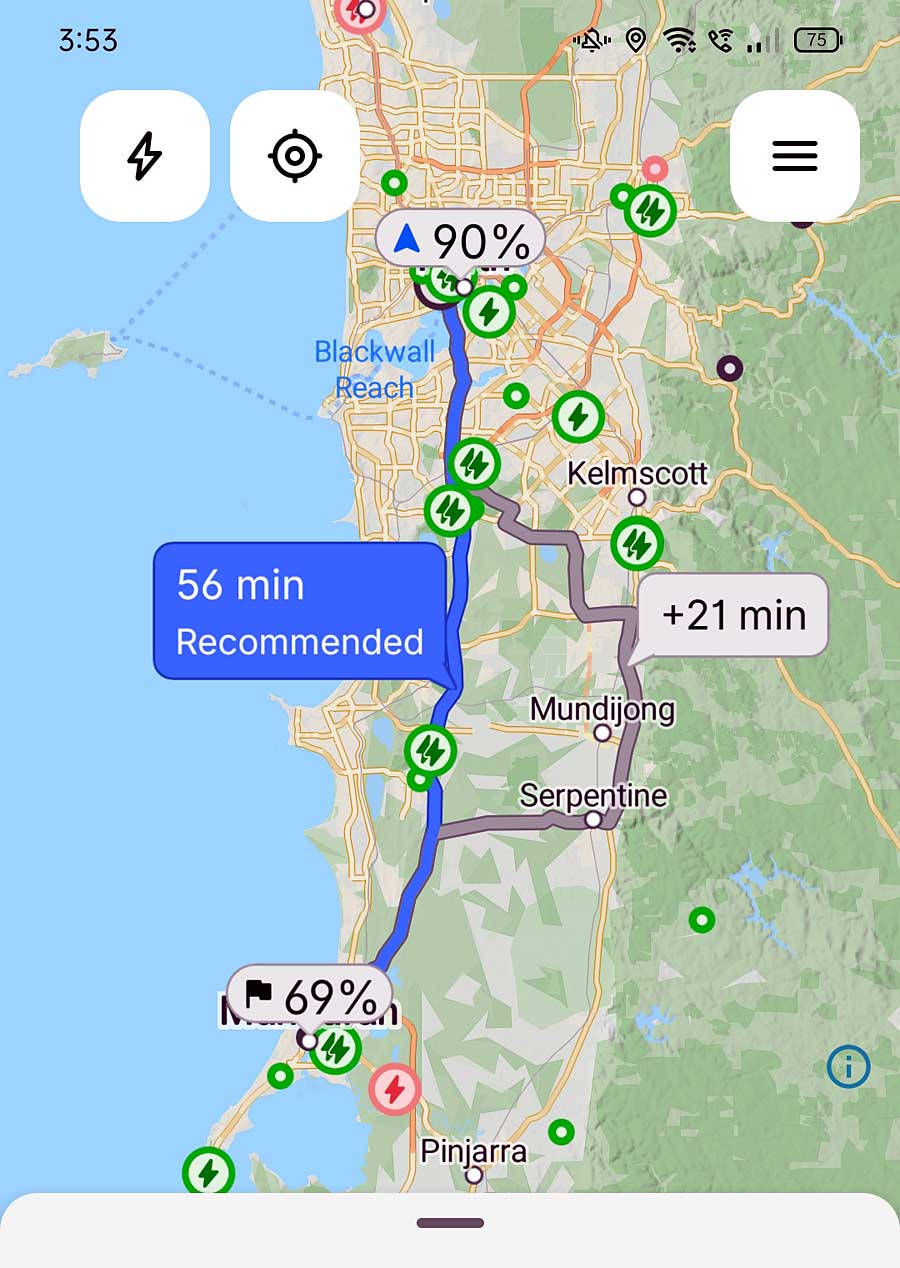
ABRP plans the route around the EV, charging stops, and expected battery use.
ABRP plans around the particular EV, its expected energy consumption, and available chargers. Its Premium version adds features like live traffic, weather, and charger availability, where available.
Do you need another app for this job?
Maybe not. If your EV or existing navigation already plans the journey well enough, job done. ABRP becomes more useful when you want more specialised EV planning or greater control over the trip.
Job 2: Check The Charger
Finding the chargers isn’t really the difficult bit anymore.
Google Maps can show compatible charging stations along your route, along with information such as charging speed and, where available, charger status. It also includes driver ratings, reviews, and photos to help you get a better idea of what you’ll find when you arrive.
But if it’s the only realistic charging stop for the next 200 km, you might want to dig a little deeper.
That’s where PlugShare can be particularly useful.
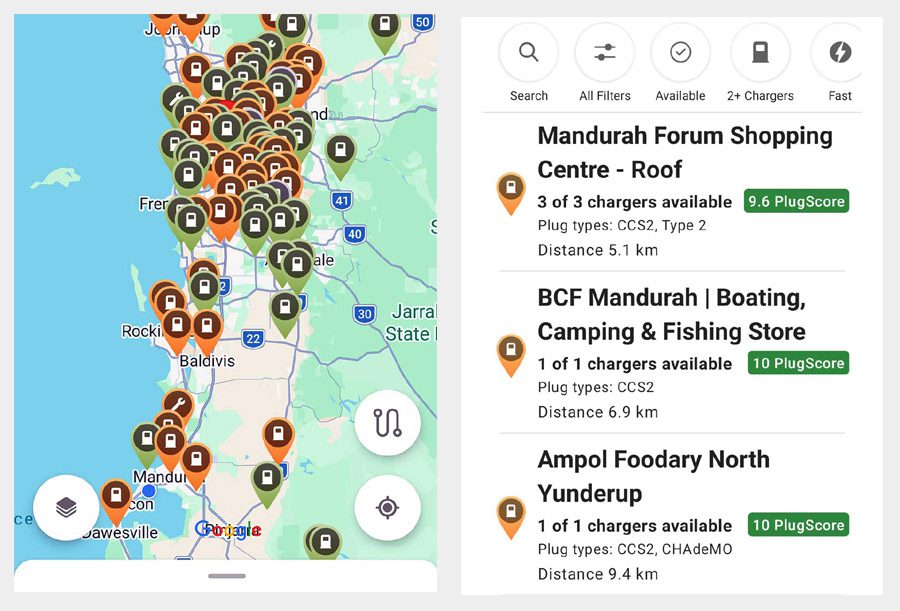
PlugShare adds charger availability, plug types, and driver-generated PlugScores to the map.
Drivers can check in after charging and leave comments, photos, and reports about problems they’ve encountered. Its PlugScore feature also gives greater weight to recent charging experiences.
So don’t just find the charger. Check the charger.
Australian app Plugroo also aggregates charging networks and provides information, including plugs, charging power, pricing, amenities, and live availability where networks provide it. It now includes road-trip planning as well (Full disclosure: Plugroo is an affiliate of SolarQuotes; we pay them for the leads they send us for EV charger installations).
There’s plenty of overlap between these tools, but recent reports from drivers who’ve actually used a charger can add something a pin or availability indicator can’t.
Do you need another app for this job?
Not necessarily. If you’re relying heavily on one particular stop, though, something like PlugShare becomes considerably more useful.
Job 3: Navigate The Route
Once you’ve planned the route and checked the important charging stops, something still has to get you there. This is where your EV’s built-in navigation may have one of its biggest advantages.
In compatible cars, the navigation system can work directly with live battery information. It continually updates the expected charge on arrival and adjusts charging stops as the journey unfolds.
Tesla does this with its own navigation, while Google Maps, built into compatible EVs, can also use the car’s battery information.
ABRP can provide turn-by-turn directions through CarPlay and Android Auto, and can access live battery and consumption data from compatible EVs.
Not every EV navigation app needs a live connection to the car. Plugroo can also combine route planning with charger locations along the way.
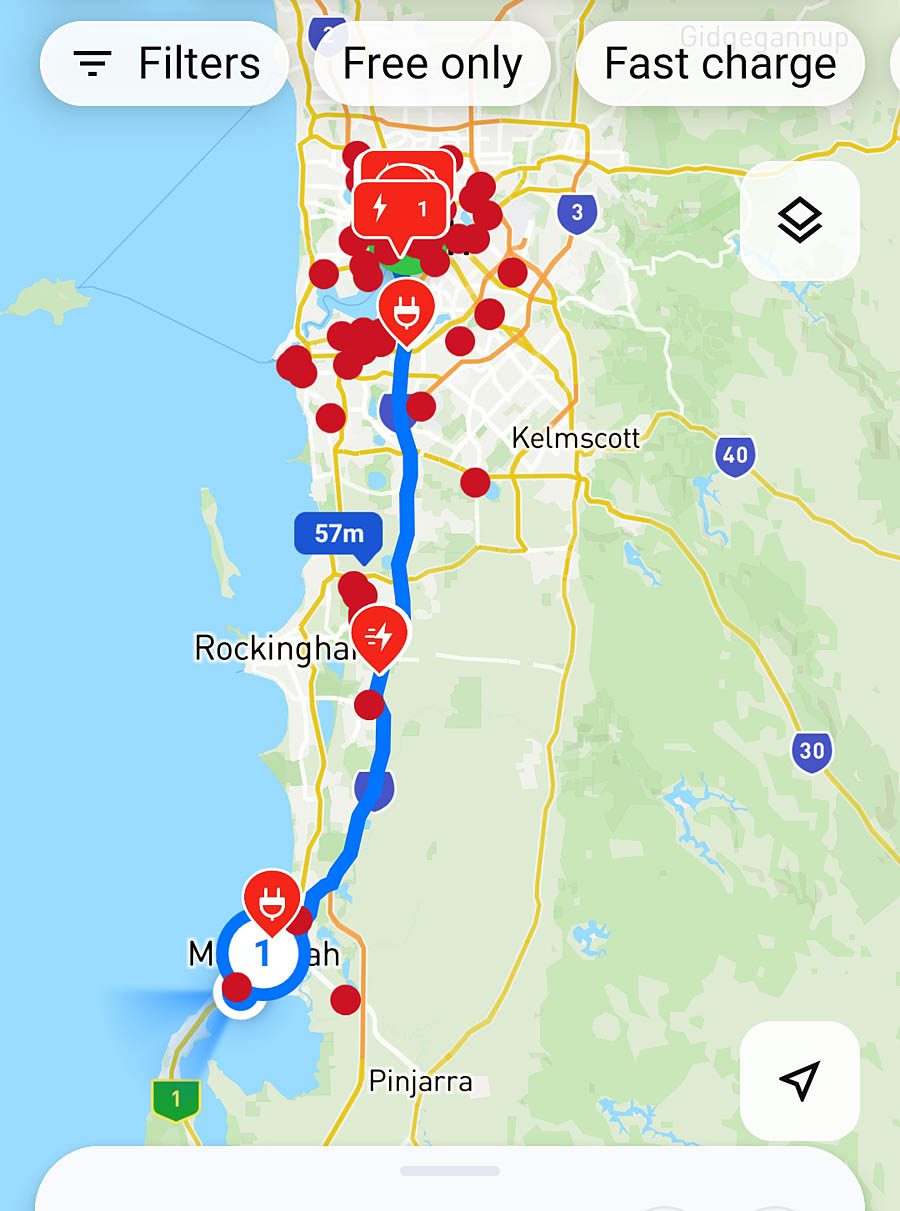
Plugroo showing charging options on a planned Perth–Mandurah, WA route.
Waze is another option. It can be set up with your EV’s plug types and preferred charging networks, then show compatible chargers along the route. Or you can simply use Google Maps if that’s what you prefer.
Do you need another app for this job?
Probably not. If your car’s navigation is good, this may be the job it does best. Otherwise, ABRP or the navigation app you already use may be all you need.
Job 4: Start The Charger And Pay
This is where the one-app idea starts coming unstuck.
Australia has multiple charging networks, including Chargefox, Evie, Tesla, JOLT, AmpCharge, bp pulse, and NRMA, with different access and payment arrangements.
Chargefox supports roaming on participating partner networks. This allows users to pay for some chargers operated by other providers through their Chargefox account.
Evie Networks offers Autocharge with compatible cars and chargers, while its RFID pass provides another way to start a charging session.
Tesla owners using the Supercharger network get an even simpler experience: plug in, charge, and billing is tied to the car and account. Compatible non-Tesla EVs can use selected Tesla Superchargers, but their owners need the Tesla app and account to pay for charging.
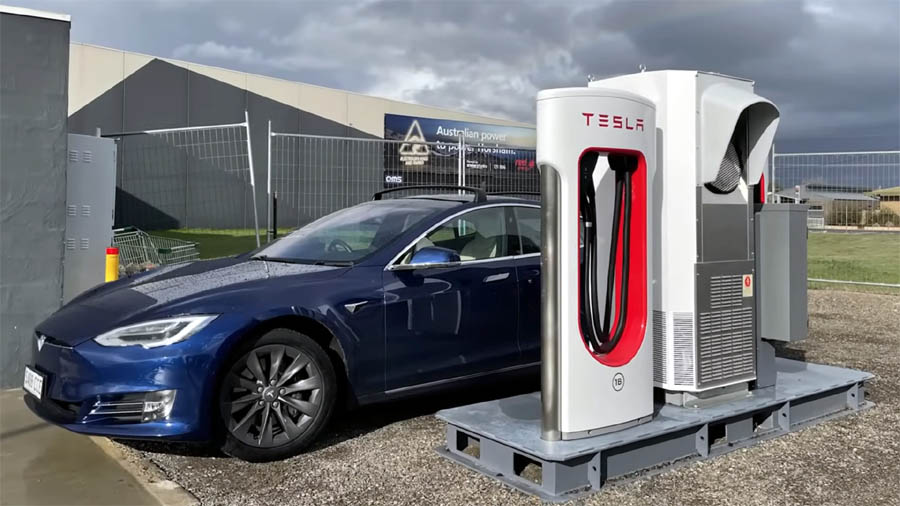
For Tesla drivers, Supercharging can be as simple as plugging in, with charging and billing linked to the car and account.
Other chargers may accept contactless payment or require their operator’s app or account.
The practical approach isn’t to download every charging app in Australia. Plan the route first, see which networks you’re likely to use, then set up whatever access or payment methods you’ll need before leaving home.
Mobile reception is another consideration. The Australian Government recommends carrying a charging-provider RFID card where they’re supported, particularly when travelling through areas with limited coverage.
Discovering you need another app besides the charger is annoying. Discovering it without enough reception to download the thing is worse.
Do you need another app for this job?
Quite possibly. Australia’s different network access and payment arrangements remain the biggest obstacle to the one-app road trip.
Job 5: When ‘Plan A’ Falls Apart
You’ve planned the route, checked the charger, and navigated your way there. Then you arrive and find it occupied, faulty, or inaccessible. Or perhaps your EV has simply used more energy than expected getting there.
Now the job isn’t finding the best charger. It’s finding another one you can actually reach.
ABRP can recalculate the journey. PlugShare can help you check nearby alternatives, while Plugroo, Google Maps, and your car’s navigation can help you find other chargers.
If your planned stop is the only charger for a long stretch, it’s worth knowing what comes after it while you’ve still got plenty of battery. A backup option matters more when the next charger is 150 kilometres away rather than 15.
If there’s no reachable Plan B, the apps have pretty much done all they can. Know who provides your roadside assistance and how to contact them. And if the car is fine but the charger isn’t, check the support number on the charger itself.
Do you need another app for this job?
Probably not. You’ll need another charger, and enough battery left to reach it.
So, Can One App Handle The Trip?
It depends on what your car already does.
For some drivers, the surprise may be how much their car’s own navigation or something as familiar as Google Maps can already handle. Others may want something like ABRP for planning and navigation, PlugShare for checking chargers, or a network app to pay for charging.
That doesn’t mean you need a phone full of EV apps. Start with what your car and existing navigation can do, then add another app that solves a problem. Then, set up access to the charging networks you’re likely to use.
For all the clever route planning, live charger data, and vehicle integration, there are still parts of Australia where the most reliable way to find out whether the only charger for 200 km is working might be to ring the pub, roadhouse, or whoever happens to look after it!
Planning to charge your EV at home and on the road? SolarQuotes’ EV Charger Guide covers what you need to know about choosing and installing a home EV charger.
 About Kim Wainwright
 RSS - Posts






Speak Your Mind