
Free power windows arrive for most Australians on July 1. If you own a battery, you probably want to configure it to take advantage, and fill it for free, from the grid.
But your battery will not do this on its own. Out of the box, it has no clue your free window exists. Somebody has to open the app and tell it, and that somebody is you.
How Do You Configure A Battery To Use Free Electricity?
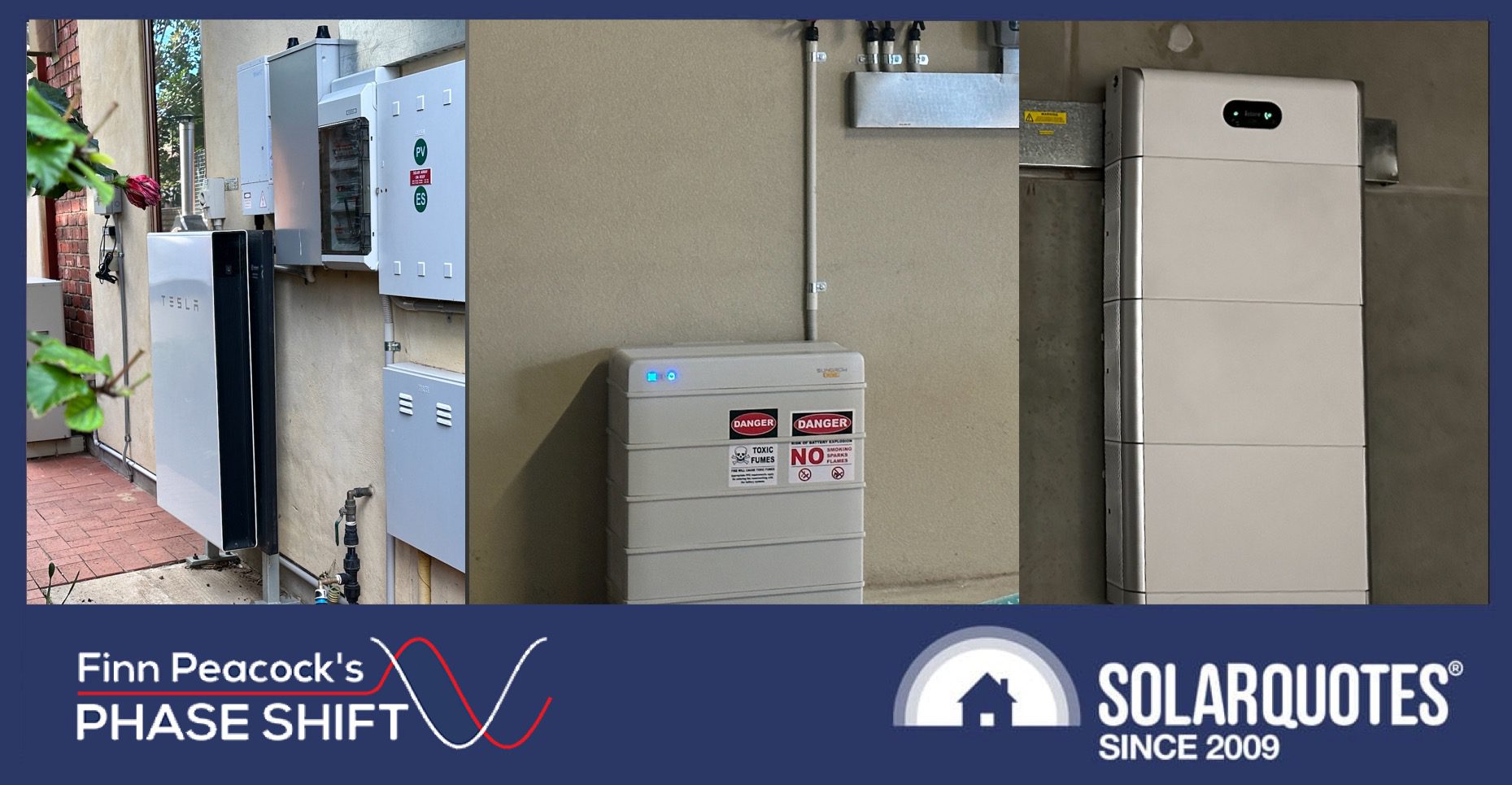
How hard is it to configure? Depends entirely on your brand. To show you the range you might be walking into, I’ve looked into how to set it up on the three batteries I own: a Powerwall 2 on the family home, a Sungrow on the Airbnb, and an iStore on the shed. Same job for all three, fill as fast as you can during the free window. Three completely different fights, from a two-minute job to a swearing fit.
The Tesla Powerwall: Easiest To Set Up, Hardest To Boss Around
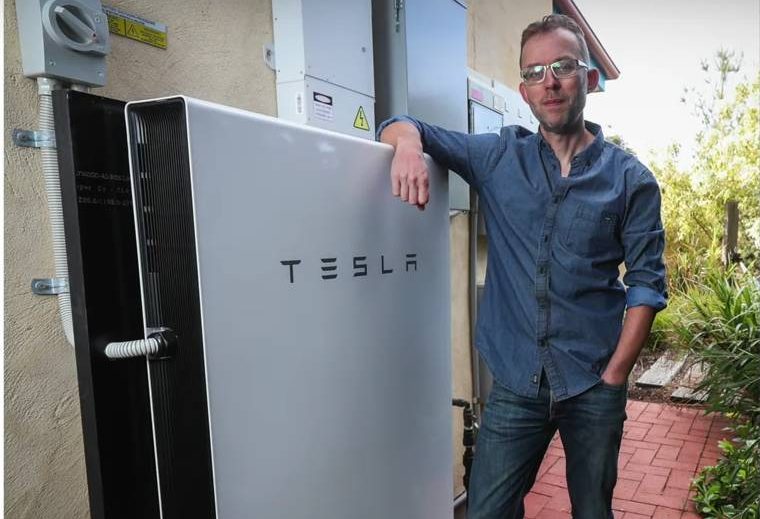
At home with my Powerwall 2.
I run the Powerwall 2 on the family home, so this is the one I know best.
Configuring it for the free window takes about two minutes. Open the Tesla app, go to Settings -> Operational Mode, and choose Time-Based Control. Then go Settings -> Utility Rate Plan and tell it when your free window is. Done. Tesla’s app is the only one of the three my mum could drive. And that’s important, because most battery owners are not tech nerds.
Now the catch.
You don’t tell a Powerwall to charge from the grid. You drop a price hint and let it decide. And it fancies itself. The system runs its own solar forecast, and if it reckons tomorrow will be sunny, it’ll skip your cheap window and wait for free sun instead.
Which is the most Elon thing imaginable: a battery so full of hubris, it thinks it knows better than you.
Sungrow: The App Is A Disaster
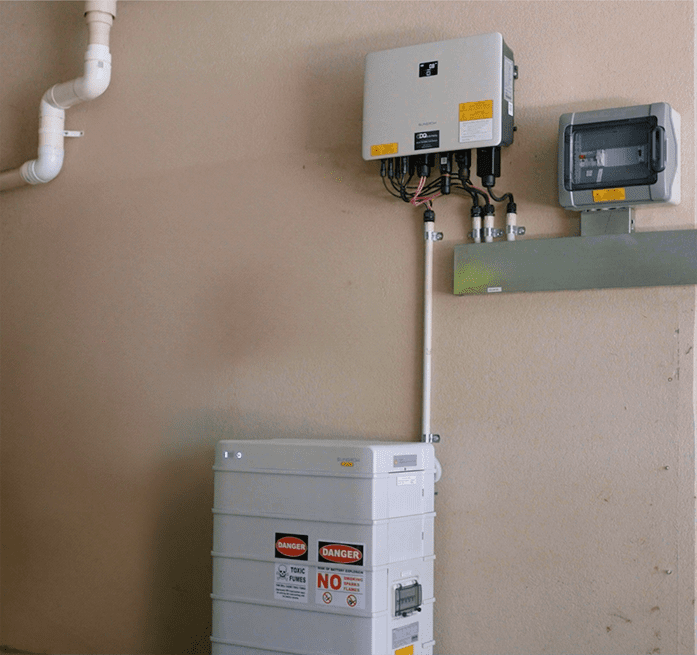
My Sungrow setup on my rental property.
To configure a Sungrow battery for free charging, you need to open their app: iSolarCloud, go to Settings -> Operation Mode, then select Forced Mode. Select Charge/discharge settings, select Charge. Confirm…
And then the iSolarCloud app refuses to let you continue. And you go down a rabbit hole of workarounds proposed in 17 different online forums by Sungrow owners who have had the same issue. Then you give up and call your installer.
Sungrow hardware is great. Sungrow installer support in Australia is fantastic. Unfortunately, for anything other than the most basic configuration, the Sungrow app is shit.
So my Sungrow battery will not be taking advantage of 3 free hours until I get around to calling my installer – unfortunately, that won’t happen before this post is published. But I’m assured by random forum posters that it will eventually work.
iStore: Good Luck
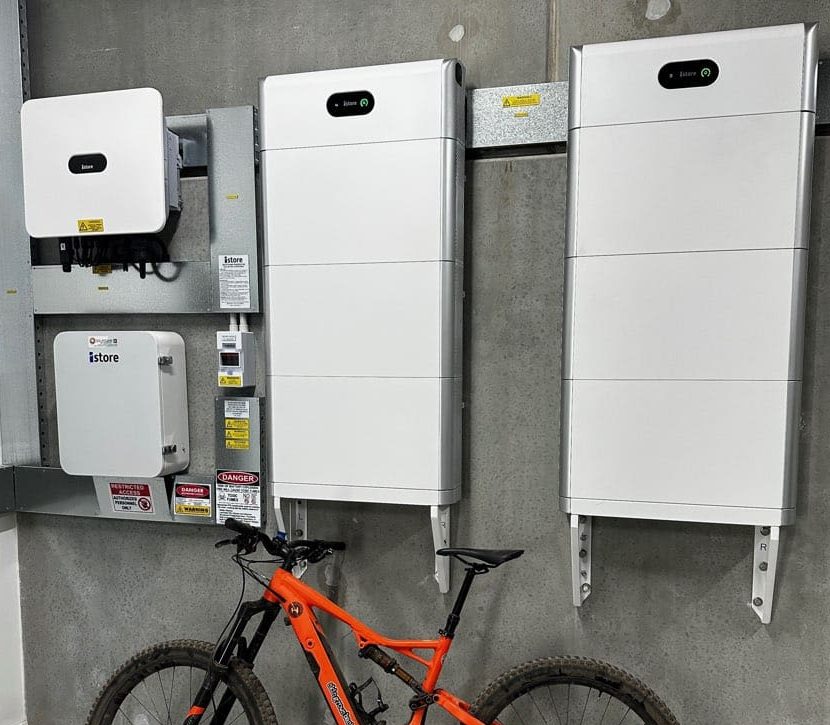
The iStore in my shed.
The iStore battery runs the shed. Lift the badge, and it’s a Huawei Luna2000. iStore signed an OEM deal with Huawei in 2024, then moved Australian customers off Huawei’s FusionSolar and onto their own app, Univers EMS. So Univers is what a typical iStore owner gets handed.
This is where I nearly lost it. I opened Univers hunting for the battery settings and found none. No charge schedule, no time-of-use, nothing on the home screen. They are in there, filed where no sane person would look: tap Me -> My Plant -> Quick Setting, and up come Battery TOU and the charge and discharge limits. Battery controls, buried under “Me.” Whoever signed off on that menu owes me twenty minutes.
Once you’re in, set a TOU charge window of 11:00 to 14:00, add discharge windows covering the rest of the day so the battery actually hands its charge back, and check that charge-from-grid is switched on. Cross your fingers and hope it all works come July 1.
So the iStore hands you the most detailed settings of the three but a hell of a clumsy tool to reach it. If Univers won’t play ball, your fallbacks are the installer’s back end (the HiSolar app) or going full nerd with third-party software like Home Assistant.
Now Go And Do Yours
Whatever battery is bolted to your wall, it will not charge from the free window until you make it, and the making-it ranges from two taps to a brawl with a non-intuitive app. So open the app today, not the afternoon your free plan kicks in.
A few things to brace for on the way. The friendliest app might be the one that second-guesses you. The most capable might bury a trap that makes no sense until it’s bitten you. And some settings hide behind an installer login, or a grid-charge permission set at commissioning, so you may not be able to finish the job without installer help.
Go looking, and if your brand has its own special way of making this miserable, or your installer’s gone to ground, or your retailer’s blocking the grid charge, tell me in the comments.
Phase Shift is a weekly opinion column by SolarQuotes founder Finn Peacock. Subscribe to SolarQuotes’ free newsletter to get it emailed to your inbox along with our other home electrification coverage.
 About Finn Peacock
 RSS - Posts





Well it seems at least some of the Gentailers/retailers have already decided their way of offsetting the ‘3 free hours’.
I received an email from AGL (we don’t have a battery yet) about our solar plan to find they are putting up everything in price and dropping the FIT.
They kindly mention, at the end, that under the new plan our expected annual cost based on our past usage will now be more than 9% about the default market offer cost.
Prior to this, our plan had us around 11% BELOW the default market offer. So much for falling prices. Every TOU cost per kWh has increased, every one.
Does not match anything the AER has been putting out in press releases does it?
Powershop did this to me too: an email letting me know my prices were going up on July 1st. A quick check ok Energy Made Easy showed that powershop had a much cheaper plan. One phone call later I’m 26% below the reference price.
The price increase is just a loyalty fee.
Same deal – my AGL bill which is on a single rate tariff will increase by about $150 annually. It’snot that much but with wholesale prices due to fall it looks like they are getting ready for the 3 free hours
I’m on a single rate tariff with AGL and will probably change when the 3 free hours come into effect on 1 Jul.
I thought I would try out the Time based control in m Tesla app ( have 2 x Powerwall 2)
Set up Super off-peak between 12 pm and 3pm. This works well as the battery charges from the grid between those times.
Peak I set between 3pm and 9pm
Off-peak was the remainder.
This morning we had some sunshine and instead of charging the battery with the excess Solar it went to the grid. Is there a setting for battery first always the grid if battery is charged?
AGL in our area also did something else with the Smart Saver plan
They changed the ToU meanings…
Off Peak (mostly late night & early morning) is now ~32c/kWh, which is more expensive than Shoulder’s 22.352c/kWh. And Shoulder is now 10AM–2PM !
So, even if you don’t sign up to a 3 free hr. plan, you can still get some of its benefit by charging midday?
hi Ram,Which state are you in ? we’re with them in NSW, AGL has not changed anything that I can see online ?
In NSW. They sent the email on June 18th. Perhaps you’re too new a customer or it went to spam?
I only have an iStore and toggling between max self consumption and TOU mode takes a few seconds.
That said – by all means have that 20 min chat with Jack.
I am in NSW and received an e-mail from AGL – General usage rate goes up from 1st July by 4.1%, Supply charge by 14.5% and Feed-in-tariff from 4 cents per KWh down to 1 cent KWh.
Same for Momentum Energy. Hence why I review all options annually on July 1 and often change retailers for a better deal.
I also got an email from AGL Peak rates up, FIT down. I believe TOU tariffs are legalised robbery. Peak rates run for 14 hours a day which is most likely when you will be need to buy most of your power. By the way I’m in South Australia and I have noticed that the time clock on the meter is set to Eastern Standard Time. So when do the rates change? By my local SA time or by EST. Too ambitious for me. I have just asked to be switched back to single rate tariff as I believe it will be slightly cheaper overall for our place. After all we are in a free market, so this should mean that costumer’s should have the choice. The order is in, and they said it can be done, so it will be interesting to see if SAPN allows the change back.
Try and make use of co-pilot or chat gpt. Let it know what system you have and the provider you are with. I am with Globird Zero Hero and have a Voltx system. Anyway I got specific instructions on how to go to the settings in my app and max out the charging. I am very happy as I just got my first bill and am in credit a few dollars. Full disclosure, we have 54 kW battery and 12 kW inverter with a swim spa we like to use so I am charging/ heating from grid between 9am and 11am in the shoulder some days when the sun isn’t playing.The zero hero we get at night has so far offset that grid use and the daily connection fee. For Voltx customers on the solplanet app, you need to go to Custom use in the battery settings to configure the times you want to charge/discharge.
Great advice, Can you do a set up for Sig using Glowbird. someone was kind enough to share their configuration that can be downloaded through the apt. Have not tried it yet. And have not switched over to Glowbird yet. still sitting on the fence.
If you don’t mind fine tuning you can bind your Sigenergy to Globird App and set up the schedule from there. It’s very basic but it works. Otherwise in Sigenergy App go to Operation Mode -> Time based schedule -> Add time slot and select Charging. Sigenergy App also let you fine tune the Inverter behaviour e.g limit grid draw (say you have single phase 63A, you still don’t feel like doing 63A that your installer set for you, you can limit it to 50A), limit battery charging speed, battery SoC etc. Or if you are game, set up rate and turn on AI Mode to mimic Tesla’s. But same as with Tesla, sometimes AI mode think it knows better than you and doesn’t charge from grid.
All in all I would say Sigenergy App is the best I have seen, and I own Sigenergy battery and ESY battery (on different property) as well as helping my friends with their FoxESS.
My Sigenergy battery is bound to Globird and they have been topping up my battery each day for the last 10 months between 11.30-2.00 apart from in summer months when it doesn’t need it. So do I need to do any of this as it is already happening now.
I have a Sigenstor with 32kWh of batteries and am with GloBird with 4-hours free from 10am-2pm. As per Chau, I’ve set it to Charge from Grid at a maximum of 7kw, as that’s enough to fully recharge it in the 4 hours. (As it’s never completely discharged). I’ve also set an export schedule from 6-10pm at 3kw down to a limit of 60% as I get 5c/kWh FiT then. I also have an EV and ,as I am home most days, have set the charger to only charge the car at the same time. So free to drive my car and free to power the house. Happy days!
Sigenergy is easy to set up through their app, especially if you have someone else’s code to use as you said you do. No need to bind to Globird as the Sig app can do it all. Just use the import code you have and then tweak it to the amount of kW you want to charge and/or discharge in your personal circumstances.
Very easy on the ESY Sunhome app. Just select battery mode > energy management > electricity purchase. Currently running on a “four hours free” app importing over 40kwh per day.
FoxESS was dead easy to set up to charge at a certain time, trickier to configure it to discharge to the grid at night to take advantage of Globirds Zerohero plan.
In order to draw nothing from the grid between 6 and 9pm, while exporting power to gain extra FIT credit and power the house, I had to set an export limit of 5000W in the installer settings. Setting a discharge SOC cutoff meant not powering the house and pulling from the grid, meaning no bonus credit. Current settings means I export 15kwh over 3 hours, if I want to export less in the future (say to power AC in summer), I’ll have to contact Fox or my installer again to lower the export limit further.
I have a Fox ESS system too and with Ovo I found it easy to set up too. So I don’t have the option to export in the evening. I did notice the Fox inverter is smart enough to preference the solar over the mains when charging when sunny so that’s a bonus. Works great.
With Tesla batteries, I’d also suggest people make sure they have grid charging enabled, otherwise it won’t fill during the 3-hours, even with the TOU rates set?
With my Tesla battery, I’ve only seen it skip the 3 free hours in sunnier seasons i.e. Spring and summer. Which hasn’t bothered me because I figure it can’t hurt longevity of the battery to not have it sitting at higher states of charge all night when i don’t need it.
Maybe that’s factored in to the Tesla algorithms? I’m always finding ways in which what initially seemed like a silly idea in their algorithms actually had a powerful logic I hadn’t realised at first. Like the badly named Charge on Solar, which is much more about controlling grid draw than about solar (the EV will always charge on solar, if it’s available).
We have an LG battery with a SolarEdge inverter installed about 8 years ago – while our model cannot manage “time of use” (respond to utility rates), we can manually override on a schedule. The SolarEdge app makes it very straightforward to set charging and discharging windows throughout the day, and will default to regular behaviour outside those windows. Now we just need to get a smart meter to be able to get the free power window when it is offered next month.
With the Powerwall 2 and winter shade on my panels I have been manually charging from off-peak if I expect the battery to be low by the end of the next day. To do this after 10pm (my current plan) I go to Settings, Stormwatch, Schedule Max Backup Protection, select 1 or 2 hours and Start.
If I change to a free 3 hours plan can do the same or use Finn’s tip for ToU schedules.
Currently there is no way to set a schedule to do this automatically.
There is a predictive feature with Powerwall where it will automatically top up from the grid during off-peak hours if the SOC is low and an overcast day is forecast but I have found this unreliable during winter.
Hi Finn,
You might want to check your Sungrow. All you do is from the homepage (desktop or app), click on self consumption, advanced and it will open a schedule. Set your time and done.
Great article for public awareness. Hoping the free window exists for QLD and I can figure out how to reconfigure a 3-phase GoodWe system with battery to cooperate. I’ll need all the help I can get from ChatGPT/Gemini/Grok/Claude
At the moment the 11KW EV wall charger drains the house 29kw battery very quickly and fullly if given the chance due to the current imbalance where the battery for the mothership (house) is much smaller than the fleet vehicles at ~80kW. 3 hours from the grid would remedy this with some arbitrage.
Yeah isolarcloud is a disaster of an App. And it changes regularly so when you do finally find out how to do something, you’ll have to find where they moved it to next month…
I have two powerwall two systems and I’m using an app to control and automate what it is doing. I have been on the over energy EV plan in charge bar battery everyday from the grid. I can now decide whether I want to charge it at 3 KW or 5 kW per battery. You can also do this through the Tesla app very easily. If you just set it into backup mode it will charge
On my Sungrow Isolarcloud app “Dashboard” this is easy.
There are 2 items that allow you to do it.
1. 1. There is a direct / Link.
2.
3. Here you will be able to schedule Forced Charge and Allowed Discharge times. The latter is probably the full 24 hrs everyday for most.
4. In the forced charge column, press on the desired start time and drag finger to finish time.
5. Make sure it is set for “Everyday” not just working days.
Done.
2. On the Dashboard there is also a link to “Quick Charge” . You cant schedule a discharge here so will have to do it every day. You can only charge for a max of 2 hours, so will have to go back after that to do another hour.
The Dashboard is editable, so if these and “Quick Discharge”, which is scheduled, arent in yours poke around and you will find how to add it to them.
I think that part of the app changed. I know when there was a recent update I had to go into there because Allowed Discharge was blank (so the battery never got used).
Your direct link didn’t come out, but the relevant part seems: Settings (Hexagon thing top-right) -> Operation Mode -> Self-Consumption -> Advanced Settings.
At that point set a time to do Forced Charging. You can change the time, it looks like a calendar but is way more painful.
Fronius isn’t too bad once your in, but its a heck of a rabbit hole.
You’ll need to start at the web version of Solar Web, the app doesn’t give you this to my knowledge.
Goto Setting -> Components tab -> then for newer Gen24 look for pilot-…something. at the right side there are three (3) vertical dots … click & you choose “device settings”
A box pops up after a secure connection has occurred, then your in, remotely to your inverter.
On the left, look for “Energy Management”, then Battery management, then Time Dependant Control.
Finally your there and can choose times to set minimum charge power (force charge) max discharge power (limit output from battery), etc. Force charge to fill up in the free window, and if solar is at/above that rate you use that else in cloudy weather grid is used.
Limiting output is useful if you have a particularly cheap rate, like 12-6am and don’t want to discharge into EV, you can limit output to nearly nothing.
Shout out to MC Electrical, for video
In the iSolar Cloud app go to Dashboard,
Then settings.
The change Operation mode to Self Consumption
The open Advanced settings
Click and drag the forced charging to the applicable three hours (in my case 11 -2).
HOWEVER…..
The app itself wouldn’t save my changes as it didn’t think i was logged in as administrator.
So I logged in using a web browser.
Followed the above steps and it worked
AlphaESS: Settings button in the floating toolbar down the bottom, Working Mode to Time-Based Control, scroll down to Time-Based Control. Enable Scheduled Charging, press Edit in the Charge/Discharge Schedule, create a Time Period (only 2 can be configured) and press Save, then Save (then go back 3 screens, press Home on the floating toolbar, and cross your fingers 🙂
VoltX (SolPlanet): Select your Plant, press Device Info, then Battery, then the Master battery, then the Gear icon (top right), then Battery Settings. Work mode to Custom mode, then press “set >” in that box.
Set Charge & Discharge power, then press Charge schedule settings. Go into each day, and change the start and end of each time slot, exit out and do the next day. After all 7 days, exit out and press Save, then exit out 4 levels! (and cross your fingers)
There is a simpler option for AlphaESS: Set working mode to “Self-Consumption Plus”, set your grid charging window, set a daily cap if applicable, press save.
Thanks Julian. I guess I need to upgrade my app?
(on the versions of the app I have – Android 7.2.4, 7.1.3 on iOS 16.7.16 – there are only these working modes; Time-based Control; Force Charge & Discharge; Storm Guard (Disabled) ).
P.S. Web page version – https://portal.alphaess.com/c/settings – does have Self-Consumption-Plus, but with a BETA badge beside it.
Yes I am on iOS version 7.2.4, and yes Self-Consumption Plus is tagged as beta, but I’ve found it to be more responsive than the schedule I set up in my retailers app (charging within 30s compared to 1-4 minutes through the Globird app)
Full control of Alphaess batteries charging and discharging to/from house and grid can be obtained using their Modbus interface. Good free Modbus software is available on HomeAssistant, but a controlling pi-chip is required at a cost of up to $200, as well as programming skills. This setup gives full live or programmed control of battery operations, establishing for us profitable operation designed to match our retailer’s Plan. It was also particularly useful for us as we have multiple Alphaess batteries and inverters running in host/follower mode. We used HomeAssistant to enforce our distributor’s feedin power limit, which no retailer that we had tried was able to universally achieve. We also used it to enable AC coupling between the two inverters. We can now charge and discharge both batteries equally and prevent one battery discharging to charge the other. HomeAssistant also gives reliable detailed statistics on system performance, makes weather predictions, etc.
Sounds great Jeff,
Please feel free to share any useful links you have for home assistant.
Cheers
Why is my Alphaess batterie importing and exporting at night? It is only a small amount but over a month it adds up.
Maureen
Hi Maureen,
I can’t say from here exactly but hybrid inverters are reactive devices that always have some lag. They need some traffic through the consumption meter because you can’t really measure zero.
Have a read here
Have two batteries installed at home. Sonnen and BYD.
Neither allow me direct access to changing charge settings directly from the phone app, but a 3rd party sonnenbuddy app is available that does enable me to do that.
However both batteries I can log into them through a web browser and change setting there.
So that’s something both sonnen and BYD/Fonius should look at.
Does this make them more secure as you need to be onsite to allow temporary direct connection to the the inverter?
I can only log in over the local wifi to make more advanced changes. The apps do have a simple charge now setting to quickly charge if you are thinking there might be a power cut soon, which does work over the internet, but that is a rather blunt setting, I have no control over where the power comes from.
For Powerwall owners who want more control over their battery the Netzero app is a must. The latest version of the app allows automation with expected weather conditions as an input.
Is Netzero free?
No, it’s good but hardly worth the cost in my opinion
As novices, we were stunned by the poor software for Tesla batteries after our purchase in Dec 2023, and all changes made by Tesla since then have further reduced our ability to control the battery. What we need to do is allow the battery to discharge to the house only during the high-price evening period, to prevent it from charging from PV during the high-price evening period for grid sales, to set a maximum level that the battery can charge to, and to set time windows for discharging the battery to the grid or charging it from the grid. Looking at the “frequently asked questions” on the Netzero site, it basically says that the app cannot guarantee these things but only tries to trick Tesla into doing them, much as we do already. The $100/year Netzero cost could in principle be worth it as battery profitability is not just about revenue and expenses, but involves long-life preservation, which could be achieved if we had proper battery control.
Our house in SE Melbourne and has 40kWh of PW2 batteries. 3 retired adults, 24 hr house. Or home usage in the last 12 months today was 11MWh. All controlled by Subscribed NetZero. The spread of that was, 7MWh PW2’s, 2.5MWh Solar and 1.4MWh Grid. Our annual power bill is $122. When we started our Solar journey in 2019 our billing was $400/mth, about $4,600pa. NetZero scheduling has been the great gain. This is Winter, I now have an auto NetZero change to our SOC to 80% at 10pm for about 2hrs at offpeak rates to ensure we get through to Sunrise.
We are with Globird non VPP and use the 3hrs free power to run house and charge PW2’s
Whilst the lack of native user controls with Tesla is a bit disappointing you can actually achieve most of your requests with either self consumption or time based control with a synthetic price schedule. Don’t need Netzero or anything else as an add on. As far as setting an upper charge limit goes: don’t worry about it, the Tesla battery management system will slow the charge down as it approaches full.
Very interesting and appreciated.Your article is in fact an insight into just how good the apps are in general,they must be user friendly to a certain workable degree for the consumer-I’ll be following closely.
Or if you have a GoodWe ESA parallel setup, you tell the Slave to charge and it looks at you like you’ve taken the jam out of its doughnut…
Hopefully GoodWe sort this out before these three hours are introduced, would really love to take advantage of the giant system I spent all this cash on.
Sigenergy battery app makes it very easy.Took me about 4 minutes and works well.
Hi @Ken Western, what was your procedure?
Linden
I am using ovo 3 for free.
Select time based control
Then select time based control
Then you will see the button next to time based control as a green dot
Select schedule
In the first box select self consumption and input times from 0000 to 1100, and tick repeat
In the second box select charging and input times 1100 to 1400 and tick repeat
In the third box select self consumption and input times 1400 to 2400 and tick repeat
Click next – this will show all the details you have input. If all correct click save.
Done!
If you go with ovo, can you use my reference code ovoenergy.com.au/refer/charles2667. If you use my reference both you and I get a $10 monthly credit for 12 months ($120 each)
Good luck
Thanks Ken. Unfortunately, Ovo is not available in the ACT.
There’s more to this. I have noticed some postees now having difficulty getting their bonus $1/day credit for not using power between 3pm and 9pm like Globird. It appears some battery brands, when syncing to the grid, are using more than 0.3kWh over that time. Our PW2’s only use 6w/30 mins when syncing with the grid. As a home with retired people its easy for us to achieve this. We are averaging 360 days out of 365 of the $1 credits in the last 12 months. Our 3hrs free power has kept our PW2’s charged to 100% before Peak times in Melbourne Winter.
I have done that with the GloBird plan, Solis hybrid inverter and Dyness G2 batteries – with their 3 hours free energy plan, my battery is full from ~22% to 99% each day whether its cloudy or sunny. It’s not the most user friendly app but it does give you a lot of controls.
With SolarSharer one needs to be carefull to ensure that they don’t exceed their 24kwh limit or they will be slugged with the heavy price.
I have a Deye 3 phase (Low Voltage) that I’ve had running on OVO three hours free then swapped to Globird recently. I’ve used Solar Assistant to configure for 3 hours free but it can also be done through DeyeCloud. Wasn’t difficult (even for a 73 year old)
Sungrow is super easy. I’ve got it programmed to charge in the free window and discharge between 6:00 and 9. :00 this is with glow bird. Glow bird made it even easier to bind the sungrow via their app. Just put in the serial number.
I preferred to have more control and programmed it in a solar cloud
Thought I had posted a full version of this earlier, but wasnt published [oddly]
To summarise, as clunky as Sungrow isolarcloud app is, the Dashboard lets you directly schedule daily forced charging times with about 3 clicks.
Thought I had posted a full version of this earlier, but wasnt published [oddly]
To summarise, as clunky as Sungrow isolarcloud app is, the Dashboard lets you directly schedule daily forced charging times with about 3 clicks.
self consumption
self consumption
advanced
forced charging – set time start & finish & everyday or working days
We’ve just gone through this with our new SolarEdge installation, and it was easy. In the SolarEdge app:-
1. Tap the obvious image of the battery on the power-flow diagram.
2. Tap on “Installer Settings”.
3. Scroll down to Backup Only” and select it.
Job done. At the end of free power, repeat steps 1 and 2, and (near the top of the screen) select “Revert to Latest Installer Settings”.
While some of the words in the menu could be improved, there’s nothing as bad as your “Me” example!
I have SE batteries & my understanding is ‘backup only’ means it stays at 100% & will only discharge during a power outage.
I wanted to ensure nil mains use during demand periods, so tried ‘time of use’ and it rubbish. SolarEdge support assured me after a while it would learn the household energy routine and start to function as I hoped. It never did.
The only way I have found to be sure the battery was topped up for the demand periods on cloudy days – 5pm to 9pm in winter and 2pm to 8pm all other months – was setting a 2hr charge window just prior to these times beginning.
So, if the free power was between 11am and 2pm, just set that 3hr time period as your manual charging period. Then if there is not enough sun to fill the battery up, it will utilise free grid power to ensure it is full by 2pm.
The only issue is that it will not utilise the battery at all during this window, which now doesn’t matter anyway as the power is free.
I hope that made sense.
Not sure if both of my replies will show or only this one.
Anyway, what Allan is saying finally sank in. Rather than going through what you mentioned each day, you could just use manual control to save all the mucking around. Just go to ‘manual control’ and set a window for charging that aligns with the period of free power.
If the system calculates it won’t be able to have the battery at 100% by the end of the charging window using solar, such as on a cloudy day, it will start using grid power to get there.
At all other times the system operates as it would under ‘maximise self-consumption’, which is what I assume your installer set it to do.
For Sungrow in the isolarcloud app I think this is the process to program forced charging during a specific time period.
Go to setting cog at the top of screen
Select Device in Plant Information section
Open the Energy Storage System 1 block
At the top of the screen, scroll across the menu to select Settings
Select Energy Management Parameters
Select Forced Charge and select Enable
There are then options to program changing ( eg Working Day or Non Working days) and time band
I stumbled on this looking for how to set up once the 3 free hours kick in. No guarantee it’s correct but it looks right
The Dashboard should, or could if set up correctly, have an item that reads “Self Consumption”.
Click that, then:
self consumption
advanced
forced charging – set
– time start & finish &
– everyday or working days
i have always used the device settings with only minor irritation of it taking a few minutes to actually show it had updated
does the dashboard option force the system to send solar to the grid and only pull from the grid?
only a minor issue, but on sunny days the battery is pretty full by noon (yes i could do a forced discharge, but that seems an unnecessary cycling of the battery, and then it uses solar first and grid as top up for force charge and heater set at full blast. would rather get my measly 2c FIT if possible instead, but realise this may not be possible (yet)
also has anyone found a great way to track your cap? i am just checking “energy purchase” before i start and throughout the 3hrs, but be great to have an alert system. Origin is like 2 days behind on usage in the app, so that’s utterly pointless.
Thanks Dragan,
Out of curiosity, and prompted by this article and your comment, I had a play in the browser version and found it was indeed fairly easy to set up a regular window where forced charging occurs. You can just drag a relevant time period onto the timeline where it has a blank line for “Forced Charging” and set a State of Charge limit there.
I would say the app / web page design isn’t 100% intuitive, so I would partly agree with Finn’s original premise, but I managed to fumble my way through without too much hassle.
I’m just going to let it run for a day or two to verify that it works and then delete that instruction – there is no free charging period in WA as yet (maybe that will come later and maybe it won’t).
We in Victoria have to wait later in the year for our free power window. Typical of our labor government we are always the followers but never the leaders when it comes to innovative ideas that benefit all electricity users. Now the brickbat. Our tarriff goes up on 1 July, granted it’s a modest increase, but the FIT crashes from 6 c/kW/h to just 1.5 ckW/h. This gives the Victorian energy retailers a free kick for 4 months at our expense. The shoulder tariff has not been decieded yet as has the time of use. It would be of great use now as my system can’t charge the battery better than 17% charge on a good Winter’s day which is puzzling as my solar gate lights with a white milky covering over the cells can do a good job protecting the gate at night. So, in SUMMER/AUTUMN I can export about 1 MW/H of give away priced power to the network at 6 cents. If the network does not want our cheap power, why then are the gold plating the network again with more solar/wind farms? more big $s batts
In Victoria too, with OVO. Had 3 free hours for a while now, and it’s great during winter. Shop around. Get a bigger battery. Regarding renewables – do some research. It makes total sense.
Oh and the milky covering on your little panel is polymer degradation/delamination due to UV exposure. Just polish it off with some plastic polish.
Does anyone know how to set this for FoxESS systems?
Pretty simple in fox cloud app, (Work mode) Mode scheduler -> Add a schedule
Select forced charge and then set the start and finish times.
Remaining Time Mode option should default to Self-use so it goes back to normal usage after, assuming your current mode is self-use.
Thanks worked a treat.
I found in Winter when charging my car (using solar) my battery was not charging enough so only yesterday, I setup forced charging on My SunGrow ESS.
The SunGrow IOS Phone app did not work and most of the advice on the forums was incorrect – based on older versions of the software.
When I switched to the Sungrow iSolarCloud web interface it was really easy.
1) On the main graphic showing the power flow between the battery, house, PV and grid dashboard look for the text on the right of the screen that says “Energy management mode” then click on the text bolded below “Self-Consumption >”.
2) On the 24 Hour schedule in the Forced charging slightly yellowed strip click on the desired time you want the charging to start and set the “Target SOC” (Target State of Charge).
3) Drag the Forced charge widows left our right side with your mouse to adjust the time window you want.
4) click on “Save” and you are done.
Hopefully the SunGrow phone app will catch up to the web interface soon.
The Android version has this and more on the Dashboard. Its crude but effective
Thanks Finn, a timely reminder (sorry couldn’t resist the pun).
I have PW3 with expansion pack = 27kW. Have found system very good and Tesla app good-ish handling peak, off-peak, & super off-peak (free) TOU delivery. Have found 2 main issues:
1. The Tesla app doesn’t seem to use Australian sources for weather forecasts, or maybe has a dud algorithm. Either way I agree it does a poor to average job predicting when it needs to charge from off-peak in advance of bad weather.
2. I also have a Zappi charger which is a great device as long as you avoid the app altogether. But that’s another story. Main issue is max loads on single phase. The charger can draw 32 amps. Add 40 amps from Tesla PW3 setup = over 70 amps current draw. My switchboard fuse was upgraded from 65 to 80 amps with the PW, but on a cloudy day I have less than 10 amps before maxing out. Now add induction hotplates, wall oven, washing machine, and dishwasher that I want to maximise during use of free window……
One thing I have found with my SolarEdge system is that when I set the batteries to charge from Solar and Grid they stop discharging capabilities. So, between the hours of 12pm-3pm (I’m in Vic, trying to get the battery charged before the 3pm peak time kicks in), I found it would only charge, but never discharge until I set it back to Maximise Self Consumption. If the battery had charged by say 2:30pm, it’d not start discharging until that 3pm window had hit.
Trouble was, on a weekday that was not too bad as most people at work/school, but on weekends there were washing machines, dryers, ovens, microwaves, TVs/Computers on chewing up power from the grid whilst the battery was potentially sitting there fully charged.
Whilst it was ok if you just want a set and forget solution, I was looking for a bit more. So. I now monitor and adjust the battery charge at regular intervals. Thanks modbus and Home Assistant!
We similarly have the Tesla Powerwall 3 issue where it often doesn’t fully charge in the free period when it is likely that the battery will later be depleted to the backup limit. My workaround is to temporarily raise the backup limit eg to 70%.
Also of concern is that ahead of the free period, the battery often won’t discharge despite plenty of charge available, instead drawing power from the grid. My workaround is to temporarily set the mode to self-consumption.
The risk with either workaround is forgetting to reset to normal later.
Voltage here drops to below 216 V if we draw more than about 9kW from the grid, and voltage exceeds 253V on a mild sunny day. This is not a Powerwall issue directly, but it does make us have to schedule charging and discharging carefully. (I think it may take another year to get this addressed through Ausnet.)
This is how I got my 27kw Tesla Powerwall 3 system to only draw power from the grid using Globird Zero Hero 3 hours of free power.
Supplies all our energy for our all electric home and EV from the free window.
It also sells a about 5kwh at 6pm each day.(half that in winter)
Works perfectly with the Globird Zero Hero plan.
BACKUP RESERVE = 20%
Operational Mode = Time-Based Control
UTILITY RATE PLAN:
SEASON 1 > September To June (Inclusive)
Buy Price Sell Price
Off Peak ——–– 12:00am to 06:00am – $0.47 $0.00
Mid Peak ——— 06:00am to 11:00am – $0.47 $0.00
Super Off Peak – 11:00am to 2:00pm – $0.00 $0.00
Mid Peak ——— 02:00pm to 06:00pm – $0.47 $0.00
Peak ————— 06:00pm to 07:00pm – $0.47 $0.15
Mid Peak ———- 07:00pm to 12:00am – $0.47 $0.00
Energy Exports = EVERYTHING
Permission To Export = YES
Grid Charging = YES
Our GoodWe ESA was easy to set up:
Devices > Working Mode > TOU settings > charge window. Draws up to 10 kW from the grid in a single phase set up, then goes back to “self consumption” mode for the rest of the day.
Bluetti EP760 is very easy to setup and proven to work reliably.
Settings –> Woking Mode –> Ensure SOC High is 100% if you want it to fully charge from grid
Settings –> Woking Mode –> Enable Time of Use option
Settings –> Woking Mode –> Schedule –> add a Charge window for 11:00-14:00
OMG. Absolute shit show. all these comments on different systems. If someone from 10 years ago read them they wouldn’t believe it. If someone in 10 years from now reads it they won’t believe it. And yet here we are: all different systems with apps of one craziness or another. Some are too locked down; some too detailed. Surely it should not be this hard?
What advice re smart meters – in relation to real time Vs meter time. I believe they are not adjusted for daylight saving, so unless you adjust your inverter time to match, you may be buying power for an hour, outside the free zone.
For daylight saving tips see
https://www.solarquotes.com.au/blog/how-energy-companies-can-take-away-your-daylight-savings/
I got my growatt inverter to do this using ChatGPT and the ShinePhone app, it’s not easy to figure out, you have to setup a TOU policy, load first/ grid first, I has to setup 2 intervals and grid first I think is the one that charges the battery.
In the growatt there is one additinal step to enable the battery in a different setting.
A word of caution: the Solar Sharer plans are “opt in” which means you may have to change plans with your current retailer to get the 3 free hours, or even (as now) switch to another retailer to get the best deal.
Also remember that the Solar Sharer plans will likely have a 24kWh daily cap, so when setting up your battery charging schedule you may want to set a limit on how much you import during the free window.
I’m in Victoria, and for a month and a half I have been on OVO’s three free hours from 11am to 2pm.
I pay a daily supply charge of $1.13,
off peak 19cents 2pm-3pm and 9pm-11am
peak 38cents 3pm-9pm
During the free time – I have a 16kWh battery that I charge for free and I do as many electrical generated chores and run the heater (all on timers). My electric hotwater is beyond my pay grade to figure out (haha) but once it dies we will invest in a heat pump.
The mySigen time based control was fairly easy to set up too.
OVO wants you to prepay, which I was OK with.
I’m pretty happy – Thanks to Finn & gang for getting me inspired to try it via education. I’m sure the OVO deal will not last forever, probably trying to get in early to create marketshare – but for now – its great 🙂 – she says slightly smuggly hahah
@Finn
As per the Sungrow configuration, you obviously have a bare bone install and do not have the iHomeManager? I run on the “Time Plan” all day every day and the schedules for forced charge and discharge took a whole of 5 minutes to set.
I can even set the max kw I want to draw in or discharge per schedule. I will admit the base system that I had originally installed was fairly basic in the scheduling area, but incorporating the iHomeManager has turned it into a completely different system. Coupling that with the integrated EV charger has been fantastic, with the scheduling on that being excellent also.
Cheers,
Troy.
I’ve just found it online. Looks interesting.
https://www.sungrowpower.com/au/en/products/energy-management-system/ihomemanager
It definitely changed the way my Sungrow system worked.
Agree re the Sungrow app, complete shit.
It would be even easier to change things if mine actually worked. It keeps losing contact with the wifi (despite a strong signal) and keeps telling me that 3 devices are offline at the plant. The installer has just come to fix it but after working for a short while, I’m back to the same offline message!
Waiting for the installer to now try changing the communication device (dongle) but given how long it too them to come and fix this issue the 1st time, I could be waiting till next year!
How do you get this ihomemanager?
I got mine with the EV Charger, but i believe you can purchase them separately. Talk to your installer, they should be able to get it for you
ta.
I suppose we are blessed in Western Australia to have no such problems with configuring our batteries to use free electricity, because its not offered to us.
I do have an IStore battery and do agree it can do a lot and yes its very hard to self navigate for the average Joe (or Brian).
And then there’s the Sigenergy BESS.
When will the mandatory 3 free hours plan from all retailers be accessible? I looked on the Energy Made Easy site today (June 23rd) and despite what Googles AI told me, they do not yet seem to be visible for comparison.
It would be helpful if I could have my plan lined up and ready to go on July 1 rather than a few weeks afterwards.
Cheers
I asked AGL that and the reply was that they were waiting for more information from the Government. Thought by now they would have had all the info and have the plans out
Yes, same with me, can’t find Solar Sharer plans, AGL too busy slugging customrers with outrageous hikes in Daily Supply Charge on existing plans.
Yes, my Powerwall also thinks it has a mind of its own. It continued to charge from the grid after the free window ended because it was “Only” shoulder rate. Lucky I happened to be watching. So we changed the price to 37 cents for all rates except the free one, turned on Grid Charging
Just playing with the Tesla Powerwall app settings. There is now a “super off-peak” rate that I guess is intended for the 3 free hours. Since I don’t yet have that plan but I need to top up my battery from the grid most winter days (shade from trees!) I am experimenting with setting a super off-peak range from 1:30am to 3:30am when my plan is off-peak. I want to see if the Tesla app takes the hint and charges from the grid during this period.
I mention above that I have been manually topping up after 10pm but the super off-peak setting might make that unnecessary.
P.S. I pay a small premium for renewable grid power but realise it is debatable that nighttime off-peak is mostly keeping coal-fired generators ticking over.
That worked – top up charging to 100% from 1:30-3:30am. If I don’t want to charge to 100% every night I might need to reduce the duration of “super off-peak”.
That’s how I’ve been using the Tesla app for some time. I use super off-peak for the 3 free hours, and off-peak for cheaper overnight charging.
In the Sungrow App you can get into the Inverter energy management parameters and set two forced charge events for everyday or work days.
From Overview select settings in the top right
Then under Plant information select Device
Tap Hybrid inverter
Then Tap settings and Energy management parameters
Scroll down to forced charging and enable
Select charge times for 1 or 2 periods and the battery SOC target.
Apply settings
Hi Finn, OK, like everyone else in Australia I got the email (from Origin). Delivery charge up 60%, and a bit of a decrease in the unit rate. With a feed in tariff of $0.02, I’m hardly going to cover this increase, so I started looking for something better. I’ve got 10KwH of panels, a 5Kwh inverter and 20KwH of batteries. I have been looking at other options, e.g. VPP or wholesale arbitrage. I was wondering, given that you know so much about the solar scene, why aren’t you “playing the game” and making money from these options, rather than just rolling with the Solar Sharer option. Am I missing something? Cheers… Howard
Why bother with solar ,just batteries and inverter to replenish in the free hours.
You need a couple of panels to be eligible for the battery subsidy.
I have 10kW SolarEdge battery, but 80kW EV battery. So the battery is there just to get us through peak pricing hours.
The SolarEdge app is excellent – Inverter, Battery and EV Charge all managed in one place, with scheduled and dynamic controls possible.
Single-phase house, so Solar Sharer free hours don’t justify the daily access charges (I see Globird approaching $2 a day for new customers).
EnergyAustralia recently increased prices (from 1 July) across all rates, controlled load and daily access. It’s time to switch!
1st Energy and AGL appear to have better rates, but I’ll wait until after 1 July to make my decision.